Best for surface compatibility
Razer DeathAdder V4 Pro
5.0 feature score
Highest scored product for this feature based on supporting review evidence.
Highest scored product for this feature based on supporting review evidence.
Balances feature score, supporting reviews, and overall product strength.
Has the broadest review evidence for this feature.
Strongest overall product among items with scored evidence for this feature.

Surface compatibility was praised where reviewers tested multiple surfaces and reported clean tracking.
Pros: Accuracy and tracking precision, sensor performance
Cons: onboard memory, handedness options

Surface compatibility was excellent where tested, with strong performance on desks, multiple pads, and varied surfaces.
Pros: motion consistency, surface compatibility
Cons: onboard memory, handedness options

Surface compatibility was praised in the reviews that tested it, with tracking and glide working well across desks or mouse mats.
Pros: sensor performance, click latency
Cons: software stability, Bluetooth support
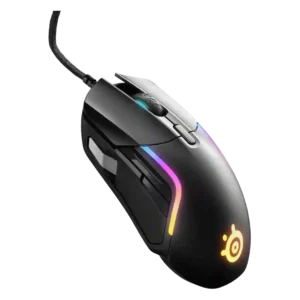
Surface compatibility had limited but very positive evidence, with reviewers saying the Rival 5 gripped or skated well across surfaces.
Pros: switch durability, surface compatibility
Cons: weight tuning, portability

Surface compatibility was praised in the reviews that tested it, including smooth movement on cloth, hard surfaces, and multiple household surfaces.
Pros: click latency, motion consistency
Cons: handedness options, portability

Surface compatibility evidence was limited but positive, with one reviewer getting consistent results across surfaces.
Pros: motion consistency, surface compatibility
Cons: handedness options, software stability

Surface compatibility was praised where reviewers highlighted mousepad calibration as a useful tuning tool.
Pros: button responsiveness, cable flexibility
Cons: firmware reliability, MMO gaming suitability

Surface compatibility was praised where evaluated, with reviewers reporting reliable tracking or useful calibration across varied surfaces.
Pros: click latency, macro support
Cons: firmware reliability, tilt gesture controls

The feet moved easily across padded mouse surfaces, making the mouse well suited to common cloth-style pads.
Pros: Accuracy and tracking precision, click latency
Cons: software stability, profile switching

Surface compatibility was excellent in the one direct test, where the mouse handled multiple surfaces equally well.
Pros: 2.4GHz connectivity, surface compatibility
Cons: click noise, software stability

Surface compatibility evidence was limited but positive, with one reviewer praising gliding on different surfaces.
Pros: Accuracy and tracking precision, sensor performance
Cons: handedness options, tilt gesture controls
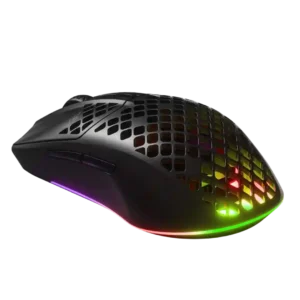
Surface compatibility was praised where the mouse glided well across mousepads and even nontraditional surfaces.
Pros: Accuracy and tracking precision, surface compatibility
Cons: firmware reliability, palm grip comfort

Surface compatibility was excellent in the evidence, with reviewers reporting strong performance on cloth, hard pads, glass, wood, and other surfaces.
Pros: wireless latency, surface compatibility
Cons: RGB features, firmware reliability

Surface compatibility was strongly praised, including glass, mouse pads, tables, and varied surfaces.
Pros: connection stability, weight
Cons: handedness options, software usability

Surface compatibility evidence was positive, with reviewers noting smooth glide or hiccup-free performance across surfaces and environments.
Pros: Accuracy and tracking precision, motion consistency
Cons: handedness options, lift-off distance

Surface compatibility was praised through smooth movement on varied mouse pads and desk surfaces.
Pros: glide smoothness, sensor performance
Cons: grip texture, firmware reliability
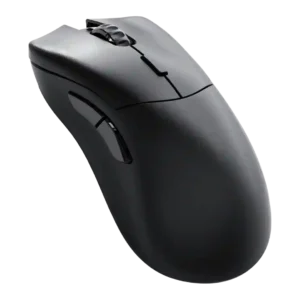
Surface compatibility was positive in the direct evidence, including tracking on glass and clear glass.
Pros: click latency, switch durability
Cons: Bluetooth support, handedness options
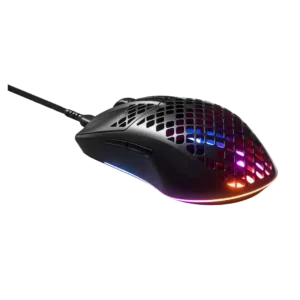
Surface compatibility was strong overall, with praise for responsive tracking or smooth glide across surfaces and pads.
Pros: click latency, acceleration control
Cons: palm grip comfort, onboard memory

Surface compatibility was positive, with testing across varied surfaces and bare-table use.
Pros: skate durability, cross-platform compatibility
Cons: handedness options, click noise

Surface compatibility was positive where discussed, with calibration or pad testing producing strong sensor behavior.
Pros: polling rate, motion consistency
Cons: MOBA gaming suitability, durability over time

Surface compatibility was positive where tested, with reviewers reporting smooth feet across multiple mousepads or surfaces.
Pros: click latency, motion consistency
Cons: handedness options, Bluetooth support

Surface compatibility evidence was positive but limited, with reviewers saying it glided well on almost any surface.
Pros: weight, balance and weight distribution
Cons: water and dust resistance, RGB features

Surface compatibility is strong, with reviewers reporting excellent tracking across surfaces and improved feel after calibration.
Pros: long-session comfort, sensor performance
Cons: handedness options, software stability

Surface compatibility was positive, including praise for tracking on varied surfaces and tempered glass, with one reviewer still recommending cloth pads.
Pros: acceleration control, wireless latency
Cons: onboard memory, MMO gaming suitability

Surface compatibility was positive where tested, with lift-off and sensor tracking staying reliable across surfaces.
Pros: balance and weight distribution, build quality
Cons: dock compatibility, Bluetooth support

Surface compatibility was strong, with reliable tracking and calibration across several desk, pad, and material types.
Pros: Accuracy and tracking precision, sensor performance
Cons: software stability, value for money
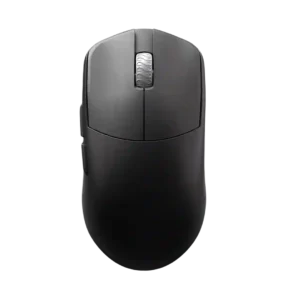
Surface compatibility is praised through smooth behavior across surfaces and compatibility with any mouse pad.
Pros: DPI range, balance and weight distribution
Cons: charging convenience, click noise

Surface compatibility was strong, with reviewers praising tracking on glass and other surfaces, plus calibration for changing setups.
Pros: motion consistency, sensor performance
Cons: software stability, MMO gaming suitability

Surface compatibility was a strong positive where tested, including smooth tracking across desks, mats, wood, and glass.
Pros: motion consistency, wireless latency
Cons: handedness options, onboard memory

Surface compatibility scored well where tested, with reviewers praising calibration usefulness or trouble-free tracking across many surfaces.
Pros: cable flexibility, weight
Cons: software stability, handedness options

Surface compatibility was praised where tested, including cloth, wood, glass, leather, concrete, and other mousepad surfaces.
Pros: click latency, balance and weight distribution
Cons: 2.4GHz connectivity, software stability

Surface compatibility was supported by praise for low-friction movement across multiple mouse pads.
Pros: battery life, programmable buttons
Cons: software stability, firmware reliability

Surface compatibility received limited positive evidence from the skates gliding across most mousepads with minimal friction.
Pros: motion consistency, wireless latency
Cons: palm grip comfort, software stability

Surface compatibility was positive, with smooth feet described as gliding across most surfaces.
Pros: connection stability, left and right click quality
Cons: palm grip comfort, profile switching

Surface compatibility had limited but positive evidence from one reviewer who found the sensor tracked easily across different surfaces.
Pros: left and right click quality, software stability
Cons: polling rate, cross-platform compatibility

Surface compatibility was strong for normal desks, mousepads, wood, and marble, but rough public surfaces were not ideal for ranked play.
Pros: ecosystem integration, sensor performance
Cons: AI Prompt Master, durability over time
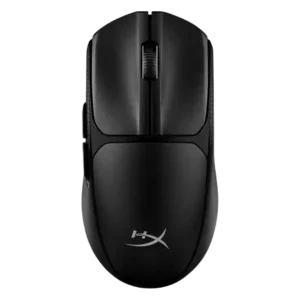
Surface compatibility was favorable, with reviewers noting smooth movement across most surfaces and even glass.
Pros: wireless latency, Accuracy and tracking precision
Cons: side button quality, materials quality

Surface compatibility varies by skate preference: tracking works across surfaces, but glide can feel much better on glass than cloth.
Pros: left and right click quality, dock compatibility
Cons: Bluetooth support, cross-platform compatibility

Surface compatibility was positive where reviewers said it moved smoothly over most surfaces, pads, and tabletops.
Pros: 2.4GHz connectivity, connection stability
Cons: cable flexibility, handedness options

Surface compatibility was positive in the scored review, which found the sensor performed well on plastic and wood surfaces.
Pros: 2.4GHz connectivity, long-session comfort
Cons: debounce customization, fingertip grip comfort
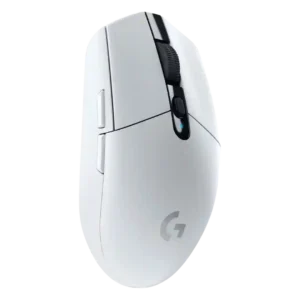
Surface compatibility was generally good across pads, desks, and varied surfaces, but several reviewers noted weakness on glass.
Pros: motion consistency, wireless latency
Cons: Bluetooth support, acceleration control

Surface compatibility was mostly good across mousepads, desks, and mats, but one reviewer noted possible edge scratching under hard pressure.
Pros: click latency, motion consistency
Cons: palm grip comfort, fingertip grip comfort

Surface compatibility is mixed-positive: non-glass desks and pads worked well, but glass caused noticeable control loss.
Pros: motion consistency, Accuracy and tracking precision
Cons: cable flexibility, palm grip comfort

Surface compatibility is positive overall through smooth movement and calibration, with one caveat about metal surfaces.
Pros: click latency, fingertip grip comfort
Cons: firmware reliability, skate durability
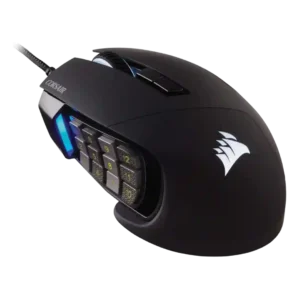
Surface compatibility evidence was positive where mentioned, especially through iCUE surface calibration and added precision.
Pros: button responsiveness, long-session comfort
Cons: handedness options, switch durability

Surface compatibility was mixed: one reviewer recommended padded surfaces due to thin skates, while another praised performance on different surfaces.
Pros: click latency, onboard memory
Cons: lift-off distance, debounce customization

Surface compatibility was positive, with reviewers finding it usable on desk mats, wood, mouse pads, and other materials, despite more drag on rough wood.
Pros: Accuracy and tracking precision, motion consistency
Cons: click noise, onboard memory

Surface calibration was praised in one review as a useful way to tune performance for a mouse pad.
Pros: premium feel, Accuracy and tracking precision
Cons: software stability, FPS gaming suitability
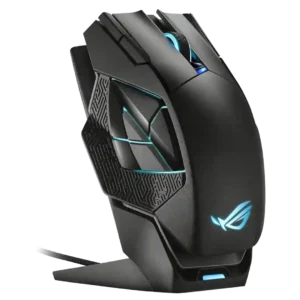
Surface compatibility had limited positive evidence through manual calibration and lift-off/surface settings.
Pros: motion consistency, 2.4GHz connectivity
Cons: fingertip grip comfort, cross-platform compatibility
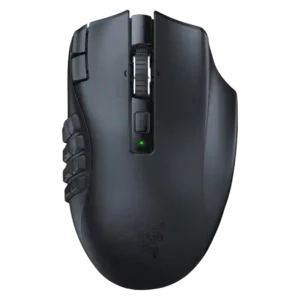
Surface compatibility was good overall, especially on tempered glass, though one review noticed minor jitter on frosted glass.
Pros: Accuracy and tracking precision, sensor performance
Cons: handedness options, fingertip grip comfort