Best for software usability
ASUS ROG Harpe II Ace
4.7 feature score
Highest scored product for this feature based on supporting review evidence.
Highest scored product for this feature based on supporting review evidence.
Balances feature score, supporting reviews, and overall product strength.
Has the broadest review evidence for this feature.
Strongest overall product among items with scored evidence for this feature.

Software usability was a major win, with Gear Link described as clear, responsive, resource-saving, handy, full-featured, and better than Armoury Crate.
Pros: acceleration control, wireless latency
Cons: onboard memory, MMO gaming suitability

Software usability was usually praised for clean, intuitive customization, though one reviewer found parts of the UI wasteful and less intuitive.
Pros: click latency, motion consistency
Cons: handedness options, portability
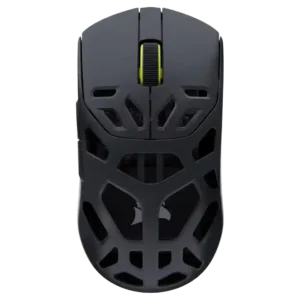
Software usability was broadly praised because Corsair Web Hub is browser-based, intuitive, accessible, and avoids bulky downloads.
Pros: Accuracy and tracking precision, click latency
Cons: cable flexibility, ecosystem integration

Software usability was a major strength: SWARM II was repeatedly called clean, intuitive, easy, powerful, and much improved.
Pros: left and right click quality, software stability
Cons: polling rate, cross-platform compatibility
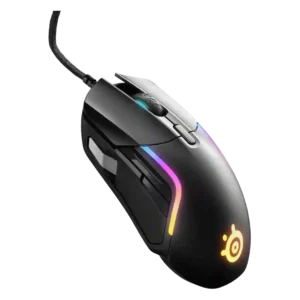
Software usability was a major strength overall, especially for SteelSeries GG/Engine customization, though a few reviewers found the layout cluttered.
Pros: switch durability, surface compatibility
Cons: weight tuning, portability

Software usability was mostly strong, especially with Synapse Web reducing install friction, though Synapse still drew occasional caveats.
Pros: balance and weight distribution, build quality
Cons: dock compatibility, Bluetooth support

SteelSeries GG software was strongly praised for clean usability, sensitivity tools, customization depth, and practical profile/game tuning.
Pros: click latency, motion consistency
Cons: palm grip comfort, fingertip grip comfort

Software usability was broadly praised for being clean, intuitive, simple, and informative, with one battery-percentage criticism.
Pros: glide smoothness, sensor performance
Cons: grip texture, firmware reliability

Software usability is generally positive, with reviewers calling it user-friendly, easy to set up, and broad enough to control key settings.
Pros: motion consistency, Accuracy and tracking precision
Cons: cable flexibility, palm grip comfort
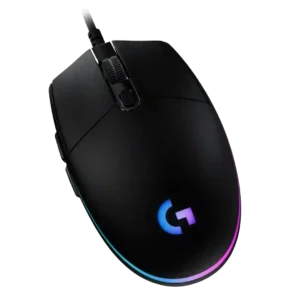
Software usability is one of the strongest attributes, with G Hub described as comprehensive, intuitive, easy, flexible, and feature-rich, despite one dislike of extra software.
Pros: acceleration control, dock compatibility
Cons: portability, onboard memory

Software usability was broadly positive thanks to clear controls and deep settings, though Synapse could be finicky.
Pros: 2.4GHz connectivity, surface compatibility
Cons: click noise, software stability

Software usability was generally positive for customization, RGB, DPI, calibration, and profiles, though Mac software support was limited.
Pros: Accuracy and tracking precision, motion consistency
Cons: click noise, onboard memory
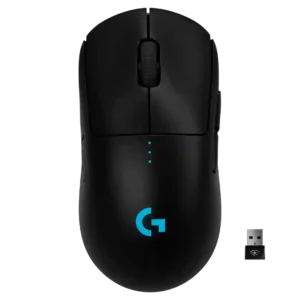
Software usability was generally praised as easy, functional, and flexible for DPI, macros, lighting, and profiles.
Pros: polling rate, motion consistency
Cons: MOBA gaming suitability, durability over time
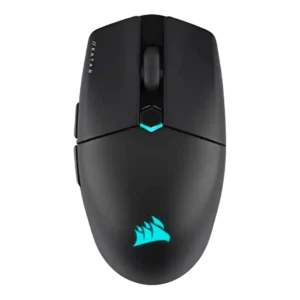
Software usability was generally strong because iCUE is powerful and detailed, though a few reviewers noted a learning curve or unintuitive UI.
Pros: software stability, click latency
Cons: MMO gaming suitability, palm grip comfort

Software usability was mixed-to-positive: Synapse offers deep control and helpful explanations, but bloat, external tools, and confusing descriptions hurt it.
Pros: Accuracy and tracking precision, sensor performance
Cons: onboard memory, handedness options

Software usability was mostly positive for easy navigation and useful customization, but one reviewer disliked NZXT CAM bloat.
Pros: FPS gaming suitability, weight
Cons: fingertip grip comfort, handedness options
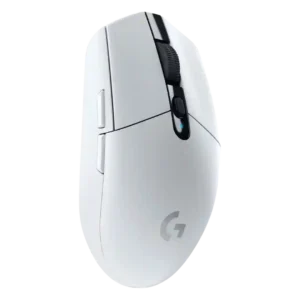
Software usability was mostly positive, with reviewers calling G Hub or Logitech software easy, simple, and useful for remapping and profiles.
Pros: motion consistency, wireless latency
Cons: Bluetooth support, acceleration control

Software usability was powerful and often easy for basic setup, but the depth of options could feel overwhelming or clunky.
Pros: sensor performance, click latency
Cons: software stability, Bluetooth support
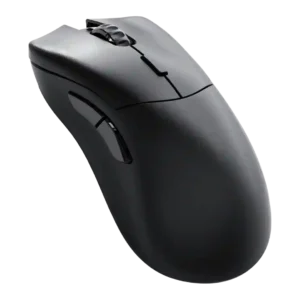
Software usability was broadly praised as simple, clean, intuitive, and easy to use, despite some feature-depth and platform caveats.
Pros: click latency, switch durability
Cons: Bluetooth support, handedness options

Software usability was generally positive for G Hub customization and clarity, though some reviewers found remapping merely usable or basic.
Pros: click latency, onboard memory
Cons: lift-off distance, debounce customization

Software usability was generally positive for iCUE customization and layout, though Bluetooth limitations and learning curve were noted.
Pros: handedness options, Accuracy and tracking precision
Cons: tilt gesture controls, software stability

Software usability was generally useful for DPI, remapping, Dynamic Sensitivity, and rotation tools, though Synapse could feel unwieldy or bloated.
Pros: click latency, motion consistency
Cons: handedness options, Bluetooth support

Software usability was mixed: several reviewers found Swarm II clear or simple, while others called it clunky or Windows-limited.
Pros: weight, balance and weight distribution
Cons: water and dust resistance, RGB features

Software usability was mostly praised for being light, simple, and easy, though a couple of reviewers found it basic or slightly unpolished.
Pros: drag click support, claw grip comfort
Cons: handedness options, Bluetooth support

Software usability was mostly positive after updates, with repeated praise for intuitive controls, though one reviewer found it rougher than rivals.
Pros: battery life, programmable buttons
Cons: software stability, firmware reliability
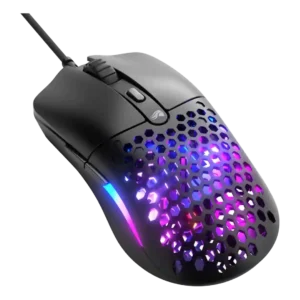
Software usability was generally positive for being simple, tidy, and functional, even if not loaded with advanced controls.
Pros: value for money, click latency
Cons: water and dust resistance, cable flexibility

Software usability was polarized but leaned positive: many praised customization ease, while several disliked bloat or dongle-only limitations.
Pros: motion consistency, surface compatibility
Cons: onboard memory, handedness options

Software usability is generally positive because G Hub exposes deep tuning clearly, but a few reviewers still find it inelegant or painful.
Pros: left and right click quality, dock compatibility
Cons: Bluetooth support, cross-platform compatibility

Software usability was powerful but mixed: reviewers liked the depth of controls, while some found Synapse annoying or overwhelming.
Pros: lift-off distance, motion consistency
Cons: cross-platform compatibility, handedness options

SteelSeries GG was often considered useful and straightforward for mouse settings, though some reviewers found it cluttered, dated, or less intuitive than rivals.
Pros: build quality, ergonomic design
Cons: handedness options, RGB features

Software usability was mixed: Synapse offers deep, useful tuning, but some reviewers disliked its bloat, ads, crashes, or general feel.
Pros: click latency, balance and weight distribution
Cons: 2.4GHz connectivity, software stability

Software usability is mixed: many reviewers liked the simple no-fuss tool, while others found it dated, rudimentary, underexplained, or unstable.
Pros: durability over time, sensor performance
Cons: MMO gaming suitability, surface compatibility

Software usability was generally good when G Hub worked, with useful profiles, remapping, macros, and calibration; memory use and interface speed drew criticism.
Pros: motion consistency, acceleration control
Cons: cable flexibility, cross-platform compatibility

Software usability was mostly positive for simplicity and accessible settings, with a few reviewers calling it merely fine.
Pros: skate durability, cross-platform compatibility
Cons: handedness options, click noise

Software usability was mostly positive and intuitive, though reviewers noted basic support or extra configuration for deeper performance tuning.
Pros: ecosystem integration, sensor performance
Cons: AI Prompt Master, durability over time

Software usability was mostly positive for helpful diagrams and Gear Link convenience, but some reviewers found Armoury Crate less slick or mixed.
Pros: onboard memory, software stability
Cons: handedness options

Software usability was mostly positive for clear controls and depth, but duplicate reviews found one update/setup flow confusing.
Pros: wireless latency, surface compatibility
Cons: RGB features, firmware reliability
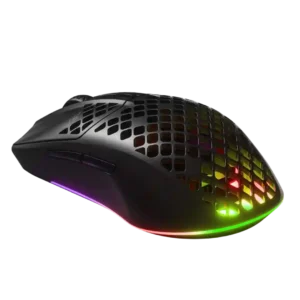
Software usability was mixed-positive overall, with several reviewers calling it easy or intuitive and others finding it bloated or annoying.
Pros: Accuracy and tracking precision, surface compatibility
Cons: firmware reliability, palm grip comfort

Software usability was split sharply: some reviewers found G Hub easy and powerful, while others called it unintuitive or frustrating.
Pros: macro support, fingertip grip comfort
Cons: weight tuning, cable flexibility

Software usability was divided: G Hub was often called intuitive or feature-rich, but multi-app fragmentation and per-device setup made it frustrating for some.
Pros: 2.4GHz connectivity, connection stability
Cons: cable flexibility, handedness options

Software usability was mixed: Synapse offered deep control and customization, but several reviewers found it bloaty, unpleasant, or only necessary for advanced setup.
Pros: motion consistency, sensor performance
Cons: software stability, MMO gaming suitability

Software usability was mixed, with reviewers praising Stream Deck or productivity setup while criticizing iCUE clarity and intuitiveness.
Pros: click latency, macro support
Cons: firmware reliability, tilt gesture controls
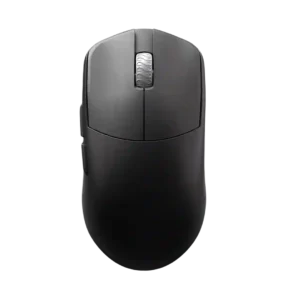
Software usability is mixed: web-based Aurora is often liked for simplicity, but one companion-app experience was slow and laggy.
Pros: DPI range, balance and weight distribution
Cons: charging convenience, click noise

Software usability was mixed, ranging from easy, robust, and feature-rich to clunky, overwhelming, dated, or rough around the edges.
Pros: click latency, motion consistency
Cons: firmware reliability, weight tuning

Software usability split reviewers: some found G Hub easy or intuitive, while others called button programming complicated or the software poor.
Pros: Accuracy and tracking precision, motion consistency
Cons: handedness options, lift-off distance

Software usability was the most mixed major area: some found Armoury Crate polished or comprehensive, while others called it bloated, overloaded, or unusable.
Pros: motion consistency, surface compatibility
Cons: handedness options, software stability

Software usability was mixed: NGENUITY was easy and versatile for basics, but reviewers wanted more shortcuts, layers, and advanced depth.
Pros: motion consistency, wireless latency
Cons: palm grip comfort, software stability
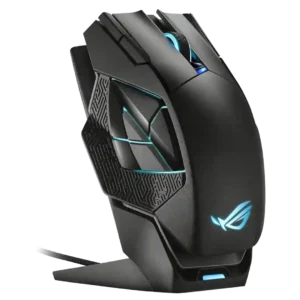
Software usability ranged from easy and straightforward to frustrating when firmware or apply behavior got in the way.
Pros: motion consistency, 2.4GHz connectivity
Cons: fingertip grip comfort, cross-platform compatibility
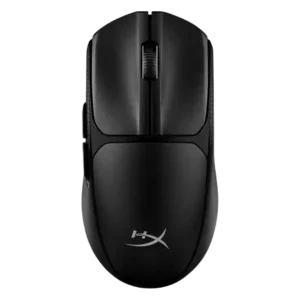
Software usability was mixed: positive reviews found it straightforward or beginner-friendly, while a negative review said the limited options were barely worth downloading.
Pros: wireless latency, Accuracy and tracking precision
Cons: side button quality, materials quality

Software usability was mixed: some found SteelSeries GG clear and powerful, while others called it cluttered, bloated, or limited on macOS.
Pros: motion consistency, connection stability
Cons: weight tuning, fingertip grip comfort