Best for fingertip grip comfort
Logitech G PRO X Superlight 2
5.0 feature score
Highest scored product for this feature based on supporting review evidence.
Highest scored product for this feature based on supporting review evidence.
Balances feature score, supporting reviews, and overall product strength.
Has the broadest review evidence for this feature.
Strongest overall product among items with scored evidence for this feature.

Fingertip grip comfort has limited but very positive support from reviewers who found it ideal or comfortable.
Pros: click latency, fingertip grip comfort
Cons: firmware reliability, skate durability

Fingertip grip comfort was praised by reviewers who found the shape comfortable for fingertip use.
Pros: macro support, fingertip grip comfort
Cons: weight tuning, cable flexibility

Fingertip grip comfort is one of the clearest comfort strengths, especially for users who hold the mouse with fingers rather than palm contact.
Pros: motion consistency, Accuracy and tracking precision
Cons: cable flexibility, palm grip comfort

Fingertip-grip comfort had limited positive evidence from reviewers who found the mouse comfortable across grip styles.
Pros: click latency, motion consistency
Cons: firmware reliability, weight tuning
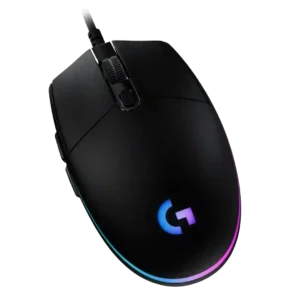
Fingertip grip comfort is one of the stronger grip-fit cases, with multiple reviewers calling it comfortable, natural, or awesome for the mouse's compact shape.
Pros: acceleration control, dock compatibility
Cons: portability, onboard memory

Fingertip grip comfort was also strong, with reviewers calling it a good alternative and enjoying it more with use.
Pros: weight, balance and weight distribution
Cons: water and dust resistance, RGB features

Fingertip grip comfort was strong overall, though aggressive fingertip users were sometimes pointed toward smaller alternatives.
Pros: balance and weight distribution, build quality
Cons: dock compatibility, Bluetooth support

Fingertip grip comfort was also strong, with praise for low-hump control and micro-adjustments, though size may affect smaller-hand users.
Pros: acceleration control, wireless latency
Cons: onboard memory, MMO gaming suitability

Fingertip grip comfort was also strong, with the compact body and grip shape praised by multiple reviewers.
Pros: motion consistency, sensor performance
Cons: software stability, MMO gaming suitability
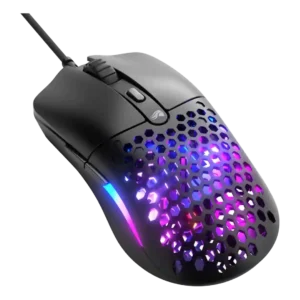
Fingertip grip was one of the strongest comfort use cases, repeatedly described as comfy or especially well suited to the shape and low weight.
Pros: value for money, click latency
Cons: water and dust resistance, cable flexibility

Fingertip grip comfort was positive in the few reviews that addressed it directly.
Pros: cable flexibility, weight
Cons: software stability, handedness options

Fingertip grip comfort was strong, with the low-profile shape repeatedly described as comfortable or ideal for that style.
Pros: connection stability, left and right click quality
Cons: palm grip comfort, profile switching

Fingertip grip comfort had limited but positive evidence, with one reviewer saying fingertip grip felt good.
Pros: click latency, motion consistency
Cons: software stability, cross-platform compatibility
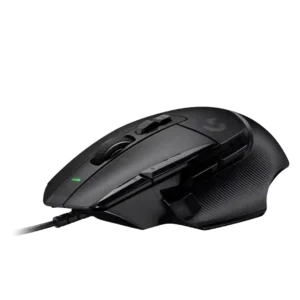
Fingertip grip comfort was positive where addressed, with the long sloping shape still working well for finger grips.
Pros: Accuracy and tracking precision, click latency
Cons: claw grip comfort, portability

Fingertip grip comfort was positive in the one review that tested it directly.
Pros: Accuracy and tracking precision, motion consistency
Cons: click noise, onboard memory
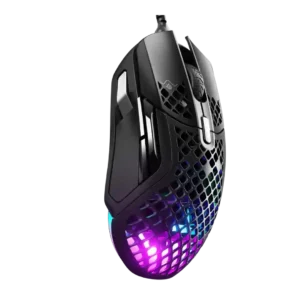
Fingertip grip comfort had limited but positive evidence from one reviewer who said the low weight suited fingertip-style movement.
Pros: glide smoothness, click latency
Cons: handedness options, DPI range

Fingertip comfort was positive where discussed, with reviewers finding the mouse comfortable under fingertips or suitable for claw/fingertip use.
Pros: battery life, programmable buttons
Cons: software stability, firmware reliability

Fingertip comfort was mostly positive where reviewers felt the shape and light weight worked well for fingertip or hybrid fingertip use.
Pros: button responsiveness, cable flexibility
Cons: firmware reliability, MMO gaming suitability

Fingertip grip users generally had positive experiences, including no fatigue during extended use.
Pros: build quality, ergonomic design
Cons: handedness options, RGB features

Fingertip grip comfort was mostly strong, though one reviewer preferred the original Viper Mini for fingertip use.
Pros: 2.4GHz connectivity, surface compatibility
Cons: click noise, software stability

Fingertip grip could work because of the small, light body, though evidence was less extensive than for claw grip.
Pros: 2.4GHz connectivity, connection stability
Cons: cable flexibility, handedness options

Fingertip grip comfort was supported by one review that found the D3 suitable for fingertip-style use.
Pros: glide smoothness, sensor performance
Cons: grip texture, firmware reliability
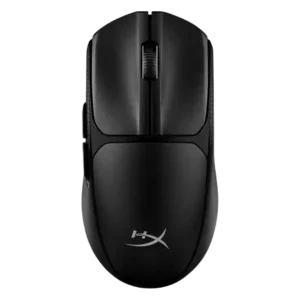
Fingertip grip comfort was positive in the review that found the hybrid fingertip and palm grip easy to adapt to.
Pros: wireless latency, Accuracy and tracking precision
Cons: side button quality, materials quality
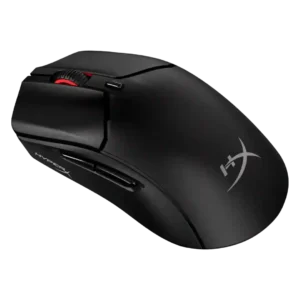
Fingertip grip comfort was generally favorable, though some reviewers framed it as more hand-size dependent than claw grip.
Pros: long-session comfort, balance and weight distribution
Cons: software stability, firmware reliability
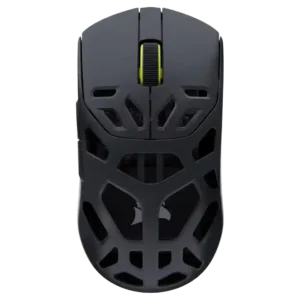
Fingertip grip was also well supported, though one reviewer said it felt more deliberate than effortless.
Pros: Accuracy and tracking precision, click latency
Cons: cable flexibility, ecosystem integration

Fingertip grip comfort was supported for larger hands and by one reviewer who found the mouse almost exclusively suited to fingertip grip.
Pros: connection stability, weight
Cons: click latency, cable flexibility
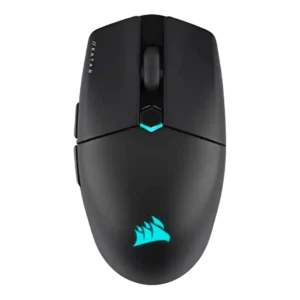
Fingertip grip comfort was broadly positive for small hands and compact control, but not universal across all hand sizes.
Pros: software stability, click latency
Cons: MMO gaming suitability, palm grip comfort

Fingertip comfort is often praised because of the narrow, flat-sided shape, but one reviewer felt heavy stock clicks hurt fingertip suitability.
Pros: durability over time, sensor performance
Cons: MMO gaming suitability, surface compatibility

Fingertip grip comfort was acceptable to positive, ranging from possible to no-problem depending on hand size and review context.
Pros: onboard memory, software stability
Cons: handedness options

Fingertip comfort was generally usable to good, with reviewers noting the smaller shape and fingertip-oriented handling, but not universally ideal.
Pros: click latency, onboard memory
Cons: lift-off distance, debounce customization

Fingertip comfort was generally positive but size-dependent, with one reviewer warning fingertip users may prefer a less substantial mouse.
Pros: Accuracy and tracking precision, motion consistency
Cons: handedness options, lift-off distance
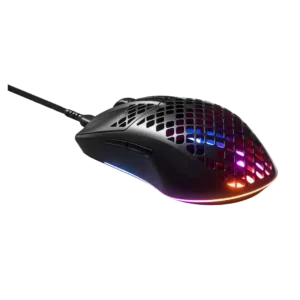
Fingertip grip comfort was generally positive, with reviewers finding the shape suitable for fingertip users.
Pros: click latency, acceleration control
Cons: palm grip comfort, onboard memory

The light, symmetrical shell supports fingertip use, though its slim width may not suit every larger hand.
Pros: Accuracy and tracking precision, click latency
Cons: software stability, profile switching

Fingertip grip was mentioned as usable, but support was limited and less central than palm or claw grip.
Pros: sensor performance, click latency
Cons: software stability, Bluetooth support
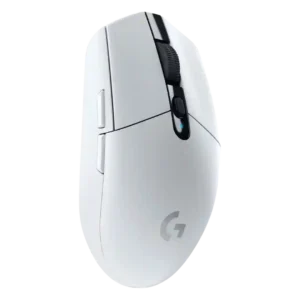
Fingertip grip comfort was usually favorable, especially for small or medium hands, but stock weight and balance hurt some fingertip users.
Pros: motion consistency, wireless latency
Cons: Bluetooth support, acceleration control

Fingertip grip comfort was more context-dependent: one reviewer found it maneuverable, while another experienced fatigue with a fingertip/claw hybrid.
Pros: left and right click quality, software stability
Cons: polling rate, cross-platform compatibility
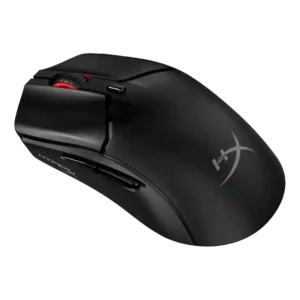
Fingertip comfort was strong for smaller hands but poor for at least one larger-hand relaxed fingertip user.
Pros: cable flexibility, connection stability
Cons: motion consistency, software stability

Fingertip comfort was positive for some reviewers but less consistent, as the larger, taller V3 Pro was not ideal for all fingertip users.
Pros: click latency, balance and weight distribution
Cons: 2.4GHz connectivity, software stability

Fingertip comfort was split, with some suitability claims but one reviewer saying the shape strains fingertips.
Pros: wireless latency, surface compatibility
Cons: RGB features, firmware reliability
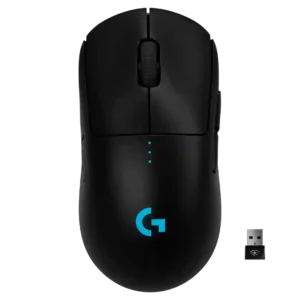
Fingertip comfort was mixed, with some reviewers finding it tailor-made and others finding taper or size less ideal.
Pros: polling rate, motion consistency
Cons: MOBA gaming suitability, durability over time
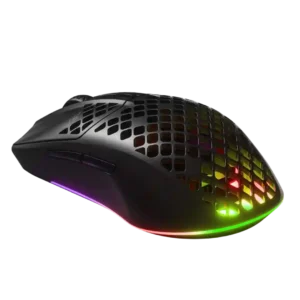
Fingertip grip feedback was mixed, ranging from comfortable and natural to poor for larger hands.
Pros: Accuracy and tracking precision, surface compatibility
Cons: firmware reliability, palm grip comfort

Fingertip grip comfort was more mixed: some found it workable or comfortable, while others preferred smaller/lighter Viper-style shapes.
Pros: motion consistency, wireless latency
Cons: handedness options, onboard memory
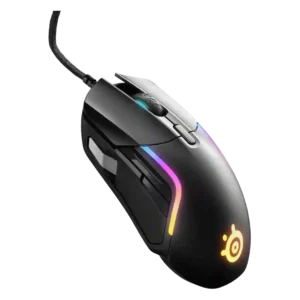
Fingertip grip comfort was split, with one reviewer finding it excellent and another warning the mouse was too large for fingertip users.
Pros: switch durability, surface compatibility
Cons: weight tuning, portability

Fingertip comfort depended heavily on hand size, with some reviewers finding it workable and others saying the mouse was too large.
Pros: Accuracy and tracking precision, sensor performance
Cons: software stability, value for money

Fingertip comfort was mixed, with some reviewers saying it worked and others doubting success or noting reach issues.
Pros: motion consistency, surface compatibility
Cons: handedness options, software stability

Fingertip comfort was mixed: some reviewers said it worked, while others found the large body limiting or intrusive.
Pros: Accuracy and tracking precision, sensor performance
Cons: onboard memory, handedness options

Fingertip grip comfort was mixed; some found it possible, while others found the ergonomic shell awkward for fingertip use.
Pros: connection stability, weight
Cons: handedness options, software usability
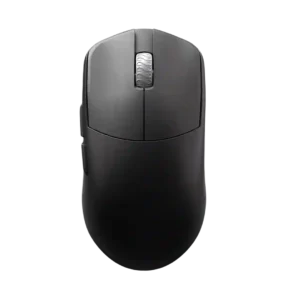
Fingertip grip comfort is conditional, with reviewers generally steering smaller-hand fingertip users toward smaller or flatter alternatives.
Pros: DPI range, balance and weight distribution
Cons: charging convenience, click noise

Fingertip comfort was divisive, with some reviewers grouping it with claw-friendly use and others finding the flared rear awkward.
Pros: click latency, motion consistency
Cons: palm grip comfort, fingertip grip comfort

Fingertip grip comfort was mixed to negative, with some comfort for hybrid users but stronger concerns that the big rear flare and weight hurt fingertip use.
Pros: click latency, motion consistency
Cons: handedness options, portability