Best for cross-platform compatibility
Glorious Model I 2 Wireless
5.0 feature score
Highest scored product for this feature based on supporting review evidence.
Highest scored product for this feature based on supporting review evidence.
Balances feature score, supporting reviews, and overall product strength.
Has the broadest review evidence for this feature.
Strongest overall product among items with scored evidence for this feature.

Cross-platform compatibility was praised for Windows, macOS, Linux, and easy pairing across multiple devices.
Pros: skate durability, cross-platform compatibility
Cons: handedness options, click noise

Cross-platform compatibility has limited but strong support from one review praising Windows and macOS usefulness.
Pros: click latency, fingertip grip comfort
Cons: firmware reliability, skate durability

Cross-platform support appeared strongest for creator workflows, with one review praising full Mac support alongside Windows software.
Pros: click latency, macro support
Cons: firmware reliability, tilt gesture controls

Cross-platform compatibility was praised by one reviewer because the software works on Windows and macOS.
Pros: motion consistency, surface compatibility
Cons: onboard memory, handedness options

Cross-platform compatibility was strong in the few reviews that tested it, with use across gaming rigs, work laptops, Chrome OS, Android, and iPad-style scenarios.
Pros: click latency, onboard memory
Cons: lift-off distance, debounce customization

Cross-platform flexibility was praised for users switching among PCs, laptops, Macs, handhelds, tablets, or other devices.
Pros: button responsiveness, cable flexibility
Cons: firmware reliability, MMO gaming suitability

Cross-platform use was praised through Bluetooth multi-device pairing and easy movement between PCs, laptops, tablets, and handhelds.
Pros: connection stability, weight
Cons: handedness options, software usability
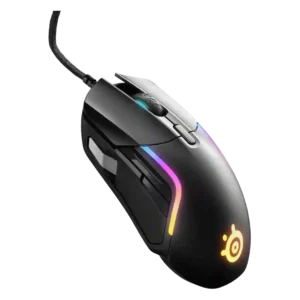
Cross-platform compatibility had limited positive evidence, including Xbox support and software working across macOS and Windows.
Pros: switch durability, surface compatibility
Cons: weight tuning, portability

Cross-platform compatibility was positive, especially for Mac, iPad, and multi-device workflows.
Pros: motion consistency, surface compatibility
Cons: handedness options, software stability

Cross-platform compatibility was positive because web-based settings and easy PC/Mac switching made the mouse flexible across devices.
Pros: acceleration control, wireless latency
Cons: onboard memory, MMO gaming suitability
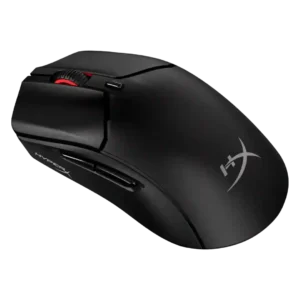
Cross-platform compatibility was positively noted for console and PC use where games support keyboard and mouse.
Pros: long-session comfort, balance and weight distribution
Cons: software stability, firmware reliability

Bluetooth and the web-based controls make the mouse practical across Windows, macOS, and other supported systems. Portal X broadens access, although its reliability and feature parity need improvement.
Pros: Accuracy and tracking precision, click latency
Cons: software stability, profile switching

Cross-platform compatibility was scored from the review saying settings work on another PC without needing software.
Pros: onboard memory, software stability
Cons: handedness options

Cross-platform compatibility has limited but positive evidence from stored settings that allow easier use across different PCs and devices.
Pros: motion consistency, Accuracy and tracking precision
Cons: cable flexibility, palm grip comfort
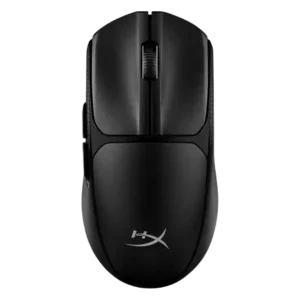
Cross-platform compatibility was praised in the review that tested it as useful across PCs, laptops, consoles, and productivity setups.
Pros: wireless latency, Accuracy and tracking precision
Cons: side button quality, materials quality

Cross-platform compatibility was only lightly covered but positively described when the software and OS range were mentioned.
Pros: polling rate, motion consistency
Cons: MOBA gaming suitability, durability over time

Cross-platform compatibility was praised through G Hub support for both Windows and macOS.
Pros: macro support, fingertip grip comfort
Cons: weight tuning, cable flexibility

Cross-platform compatibility was supported by positive switching between a MacBook and gaming PC.
Pros: 2.4GHz connectivity, surface compatibility
Cons: click noise, software stability
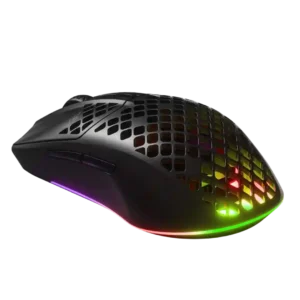
Cross-platform compatibility was supported through Bluetooth use for everyday and cross-device scenarios.
Pros: Accuracy and tracking precision, surface compatibility
Cons: firmware reliability, palm grip comfort

Cross-platform use was supported by positive Xbox testing, though software features were more limited outside Windows.
Pros: motion consistency, connection stability
Cons: weight tuning, fingertip grip comfort

Cross-system use was supported by onboard settings, with one review calling personal settings seamless across different computers.
Pros: connection stability, left and right click quality
Cons: palm grip comfort, profile switching

Cross-platform compatibility was positive at the basic mouse level, with one review reporting issue-free Windows, Mac, and Android use.
Pros: weight, balance and weight distribution
Cons: water and dust resistance, RGB features

Cross-platform evidence was positive but limited, tied to easy device connectivity and onboard profiles that simplify software-free use.
Pros: click latency, motion consistency
Cons: palm grip comfort, fingertip grip comfort

Reviewers valued quick switching across PC, consoles, tablets, phones, and other devices, especially when using Bluetooth alongside the dongle.
Pros: build quality, ergonomic design
Cons: handedness options, RGB features

Cross-platform compatibility was positive in limited evidence, especially Windows/Mac Bluetooth use and flexible multi-platform operation.
Pros: cable flexibility, weight
Cons: software stability, handedness options
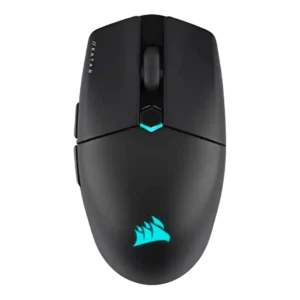
Cross-platform compatibility had limited positive evidence tied to Bluetooth use with laptops and tablets.
Pros: software stability, click latency
Cons: MMO gaming suitability, palm grip comfort

Cross-platform use was supported by Bluetooth and Web Hub convenience, with evidence that re-pairing between devices is easy and the web approach is platform-independent.
Pros: Accuracy and tracking precision, click latency
Cons: cable flexibility, ecosystem integration

Cross-platform or multi-device use was praised for switching between systems and productivity devices.
Pros: premium feel, Accuracy and tracking precision
Cons: software stability, FPS gaming suitability

Cross-platform compatibility was helped by browser-based configuration across computers, though it is still browser/software dependent.
Pros: balance and weight distribution, build quality
Cons: dock compatibility, Bluetooth support

Cross-platform compatibility was supported by onboard memory comments about settings carrying across systems.
Pros: wireless latency, surface compatibility
Cons: RGB features, firmware reliability

Cross-platform compatibility has limited but positive evidence, with one review calling the mouse versatile across Windows, Mac, and most OS setups.
Pros: long-session comfort, sensor performance
Cons: handedness options, software stability

Cross-platform use was a plus, especially Bluetooth use with phones/tablets/iPad, though Ars wanted better multi-Bluetooth profile support.
Pros: 2.4GHz connectivity, connection stability
Cons: cable flexibility, handedness options

Cross-platform compatibility was useful across laptops, tablets, and mobile devices, though USB-A dongle use on phones and tablets was awkward.
Pros: ecosystem integration, sensor performance
Cons: AI Prompt Master, durability over time

Cross-platform compatibility has limited positive support from the review that praised Bluetooth convenience across a broader range of devices.
Pros: durability over time, sensor performance
Cons: MMO gaming suitability, surface compatibility

Cross-platform compatibility had limited positive evidence through onboard memory helping when using the mouse on multiple systems.
Pros: Accuracy and tracking precision, motion consistency
Cons: handedness options, lift-off distance

Cross-platform compatibility was supported by travel use with laptops and tablets, though evidence beyond that was limited.
Pros: motion consistency, sensor performance
Cons: software stability, MMO gaming suitability

Cross-platform compatibility was mixed: reviewers liked PC/Mac or broad device support, but software and Linux limitations reduced flexibility.
Pros: motion consistency, wireless latency
Cons: Bluetooth support, acceleration control

Cross-platform compatibility was mixed: hardware use across Mac and Windows was positive, but software was Windows-only.
Pros: glide smoothness, sensor performance
Cons: grip texture, firmware reliability

Platform support was mixed: connectivity options widened device use, but Synapse being Windows-only limited full customization.
Pros: sensor performance, click latency
Cons: software stability, Bluetooth support

Cross-platform compatibility was mixed: reviewers liked laptop and multi-device use, but one found limited button recognition on iPadOS.
Pros: click latency, motion consistency
Cons: firmware reliability, weight tuning

Cross-platform compatibility was mixed: console compatibility added versatility, but one review noted NGENUITY is Windows-only.
Pros: motion consistency, wireless latency
Cons: palm grip comfort, software stability

Cross-platform compatibility was mixed: Xbox plug-and-play was a plus, but lack of macOS and non-Windows support limited the PC software experience.
Pros: click latency, motion consistency
Cons: handedness options, portability

Cross-platform compatibility was limited by the software being Windows-only in the reviewed material.
Pros: battery life, programmable buttons
Cons: software stability, firmware reliability

Cross-platform compatibility was mixed because the mouse works on Windows and Mac, but the software support was described as Windows-only.
Pros: Accuracy and tracking precision, motion consistency
Cons: click noise, onboard memory

Cross-platform compatibility was limited because full customization was described as Windows-only.
Pros: left and right click quality, software stability
Cons: polling rate, cross-platform compatibility
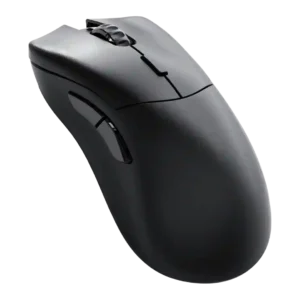
Cross-platform compatibility was mixed because the mouse worked on macOS, but the required Glorious Core software was not available on Apple devices.
Pros: click latency, switch durability
Cons: Bluetooth support, handedness options

Cross-platform compatibility was limited by the lack of Bluetooth and multi-device switching, making it less flexible than generalist mice.
Pros: motion consistency, acceleration control
Cons: cable flexibility, cross-platform compatibility

Cross-platform support was a weakness for Linux users because Synapse is not officially available there.
Pros: lift-off distance, motion consistency
Cons: cross-platform compatibility, handedness options
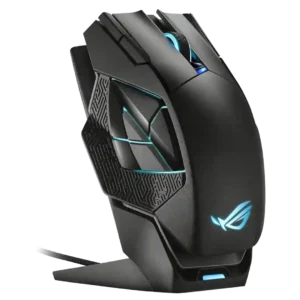
Cross-platform support was weak in the available evidence because Mac/iOS software support was criticized as absent.
Pros: motion consistency, 2.4GHz connectivity
Cons: fingertip grip comfort, cross-platform compatibility

Cross-platform compatibility was criticized because firmware updating appeared Windows-only despite the mouse being used across Mac and Linux contexts.
Pros: connection stability, weight
Cons: click latency, cable flexibility