Best for scroll wheel quality
Razer Cobra HyperSpeed
4.9 feature score
Highest scored product for this feature based on supporting review evidence.
Highest scored product for this feature based on supporting review evidence.
Balances feature score, supporting reviews, and overall product strength.
Has the broadest review evidence for this feature.
Strongest overall product among items with scored evidence for this feature.

The optical scroll wheel was one of the strongest points, repeatedly praised for precise, tactile, responsive, and defined scrolling.
Pros: 2.4GHz connectivity, surface compatibility
Cons: click noise, software stability
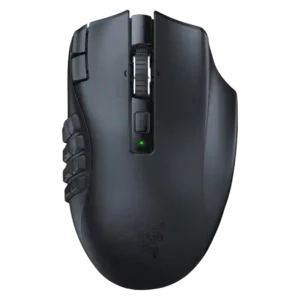
The scroll wheel was a consistent strength, with praise for tactile detents, free-scroll usefulness, tilt actions, and overall functionality.
Pros: Accuracy and tracking precision, sensor performance
Cons: handedness options, fingertip grip comfort

The optical scroll wheel was one of the most consistently praised parts, with reviewers highlighting precision, tactility, and reliable steps.
Pros: balance and weight distribution, build quality
Cons: dock compatibility, Bluetooth support

The scroll wheel is consistently praised, ranging from good and issue-free to absolutely fantastic.
Pros: palm grip comfort, handedness options
Cons: Bluetooth support, MMO gaming suitability

The optical scroll wheel was one of the most praised upgrades, with reviewers calling it precise, durable, tactile, and a clear improvement over prior wheels.
Pros: Accuracy and tracking precision, sensor performance
Cons: onboard memory, handedness options

The scroll wheel was one of the strongest features, with praise for accuracy, tactile/free-spin modes, and workflow usefulness despite some tilt awkwardness.
Pros: ecosystem integration, sensor performance
Cons: AI Prompt Master, durability over time
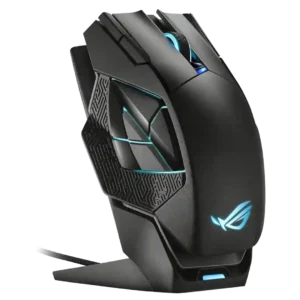
Scroll wheel quality was consistently positive, with praise for grip, satisfying clicks, and good feel.
Pros: motion consistency, 2.4GHz connectivity
Cons: fingertip grip comfort, cross-platform compatibility

The scroll wheel earned positive comments for quiet operation, tension, and responsiveness, despite one reviewer noting softer notches.
Pros: wireless latency, surface compatibility
Cons: RGB features, firmware reliability

The scroll wheel is generally praised for no wobble, clear cutoffs, precise resistance, and a nice feel.
Pros: motion consistency, Accuracy and tracking precision
Cons: cable flexibility, palm grip comfort

Scroll wheel feedback was positive overall for precision, tactile notches, smoothness, and tension, with some productivity limitations noted.
Pros: acceleration control, wireless latency
Cons: onboard memory, MMO gaming suitability

The scroll wheel was a major strength overall, with praise for smooth/free-spin usefulness and satisfying feel, balanced by a few complaints about loud clicks or excess play.
Pros: left and right click quality, software stability
Cons: polling rate, cross-platform compatibility
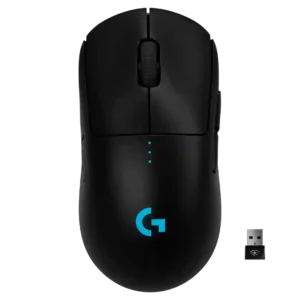
Scroll wheel quality was generally positive, praised for tactile, quiet, precise steps, although one reviewer wanted more defined steps.
Pros: polling rate, motion consistency
Cons: MOBA gaming suitability, durability over time

The scroll wheel drew mostly positive notes for tactile steps, grip, and control, with a few reviewers calling it merely fine or muted.
Pros: motion consistency, wireless latency
Cons: handedness options, onboard memory
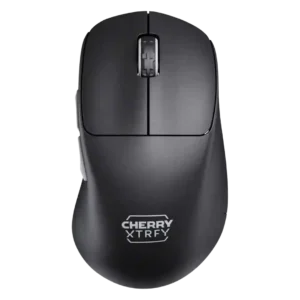
Scroll wheel quality was well received for tactile steps, satisfying use, granular control, and easy movement.
Pros: 2.4GHz connectivity, long-session comfort
Cons: debounce customization, fingertip grip comfort

Scroll wheel feedback was broadly positive, with reviewers praising tactile bumps, grippier texture, responsiveness, and quieter operation.
Pros: click latency, motion consistency
Cons: palm grip comfort, fingertip grip comfort

The HyperScroll Pro wheel drew frequent praise for deep customization, though some reviewers found presets stiff or overkill.
Pros: sensor performance, click latency
Cons: software stability, Bluetooth support

The scroll wheel was a standout feature, though Smart-Reel behavior and occasional noise or responsiveness quirks created mixed notes.
Pros: lift-off distance, motion consistency
Cons: cross-platform compatibility, handedness options

Scroll wheel quality was generally solid and precise, though a few reviewers found middle click awkward or document scrolling tedious.
Pros: click latency, motion consistency
Cons: handedness options, Bluetooth support

The scroll wheel earned praise for tactile feedback, tilt, versatility, and stability, but some reviewers disliked the lack of dual-mode or smooth scrolling on the wired model.
Pros: click latency, motion consistency
Cons: handedness options, portability
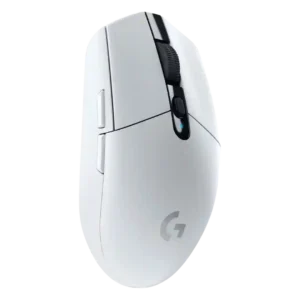
Scroll wheel quality was mostly positive for tactile, crisp, or smooth scrolling, though one review found it merely average and another noted noise.
Pros: motion consistency, wireless latency
Cons: Bluetooth support, acceleration control

Scroll wheel quality was generally strong, with praise for firm notches, satisfying clicks, positive indexing, and stable middle-click behavior, despite one reach complaint.
Pros: motion consistency, wireless latency
Cons: palm grip comfort, software stability

Scroll wheel feedback was mostly positive for sturdiness, smoothness, and grip, though one reviewer wanted more tactility and clearer scroll steps.
Pros: FPS gaming suitability, weight
Cons: fingertip grip comfort, handedness options
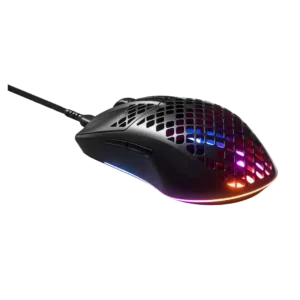
Scroll-wheel quality received positive remarks for feel and performance when specifically judged.
Pros: click latency, acceleration control
Cons: palm grip comfort, onboard memory

Scroll-wheel quality was mostly praised for sturdy, notchy, or tactile feel, although some reviewers found it rigid, stiff, or in need of tighter steps.
Pros: drag click support, claw grip comfort
Cons: handedness options, Bluetooth support

Scroll wheel quality was mixed: several reviewers liked the feel and increments, while others criticized rattling, cheap sound, or limited resistance adjustment.
Pros: motion consistency, surface compatibility
Cons: handedness options, software stability

Scroll wheel quality was mixed, ranging from precise, tactile, and great to stiff, soft-notched, or lacking side-click features.
Pros: click latency, macro support
Cons: firmware reliability, tilt gesture controls
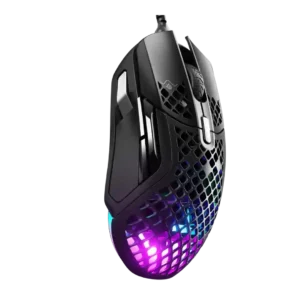
The scroll wheel was consistently praised for tactile steps, weight, and an absence of major complaints.
Pros: glide smoothness, click latency
Cons: handedness options, DPI range
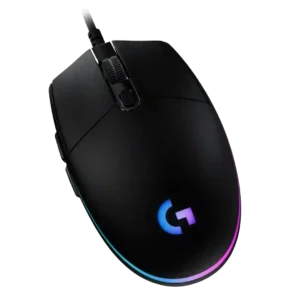
Scroll wheel quality is mostly positive for notched, defined, grippy scrolling, though two reviews complained about cheap feel or abrasive upward-scroll noise.
Pros: acceleration control, dock compatibility
Cons: portability, onboard memory

The scroll wheel received steady praise for grip, smoothness, tactile steps, and satisfying operation.
Pros: premium feel, Accuracy and tracking precision
Cons: software stability, FPS gaming suitability

Scroll wheel quality was mostly positive for responsiveness and controlled force, with one reviewer finding it a bit too stiff.
Pros: 2.4GHz connectivity, connection stability
Cons: cable flexibility, handedness options
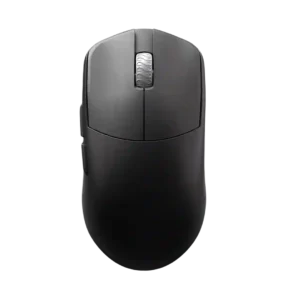
Scroll wheel quality is mostly positive for lightness, tactility, and safe tuning, but one review reported an intermittent registration issue.
Pros: DPI range, balance and weight distribution
Cons: charging convenience, click noise

Scroll wheel quality is mostly praised for tactility and precision, though a few reviewers report looseness or click-release issues.
Pros: left and right click quality, dock compatibility
Cons: Bluetooth support, cross-platform compatibility
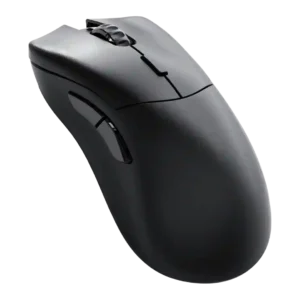
Scroll wheel quality was generally positive, though one reviewer found it merely average.
Pros: click latency, switch durability
Cons: Bluetooth support, handedness options
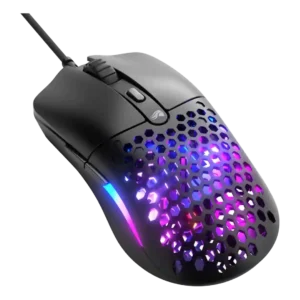
Scroll wheel quality was split between very strong praise for luxury smoothness and a caveat that it was somewhat too smooth-running.
Pros: value for money, click latency
Cons: water and dust resistance, cable flexibility
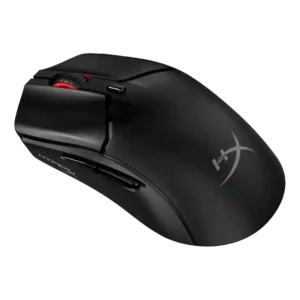
The scroll wheel was usually considered reliable or good, but one reviewer struggled with consistent actuation.
Pros: cable flexibility, connection stability
Cons: motion consistency, software stability
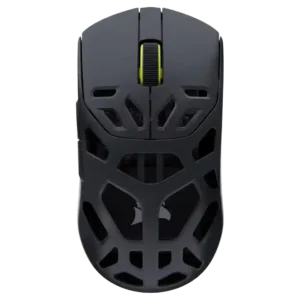
Scroll wheel feedback was generally positive for clear notches and precise resistance, though one review found it softer than ideal.
Pros: Accuracy and tracking precision, click latency
Cons: cable flexibility, ecosystem integration

Scroll wheel opinions were mixed-positive: reviewers liked its feel and control, while some wished for smoother or larger wheel behavior.
Pros: weight, balance and weight distribution
Cons: water and dust resistance, RGB features

Scroll wheel feedback was generally usable and often quiet or tactile, but several reviewers noted rattle, mushiness, or weaker click feel.
Pros: motion consistency, acceleration control
Cons: cable flexibility, cross-platform compatibility

Scroll wheel quality was mostly positive for resistance and tactility, though one reviewer found scrolling underwhelming.
Pros: motion consistency, connection stability
Cons: weight tuning, fingertip grip comfort
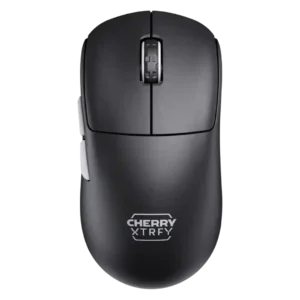
The scroll wheel was generally smooth, controlled, and pleasant, with a few reviewers describing it as merely okay or not ideal for repeated clicks.
Pros: 2.4GHz connectivity, long-session comfort
Cons: programmable buttons, button customization

Scroll wheel quality is generally acceptable to good, with praise for feel and resistance but some complaints about noise or looseness.
Pros: click latency, fingertip grip comfort
Cons: firmware reliability, skate durability

Scroll wheel quality was mixed: several reviewers liked the tactile or firm feel, but others found it mushy, low, or weak.
Pros: Accuracy and tracking precision, motion consistency
Cons: click noise, onboard memory

The scroll wheel was considered simple but well suited, with distinct notches and usable firmness.
Pros: connection stability, left and right click quality
Cons: palm grip comfort, profile switching

Scroll wheel feedback was mixed: some reviewers found it secure, precise, or solid, while others disliked the locked, bumpy, or ordinary feel.
Pros: motion consistency, sensor performance
Cons: software stability, MMO gaming suitability

Scroll wheel quality was mostly solid, with praise for steps and smoothness, but some criticism of low positioning and tilt access.
Pros: motion consistency, surface compatibility
Cons: onboard memory, handedness options

Scroll wheel feedback was mixed: some praised it as quiet or nice, while others found resistance, softness, or tactility lacking.
Pros: glide smoothness, sensor performance
Cons: grip texture, firmware reliability

Scroll wheel quality varied by reviewer: some praised smoothness, tactility, or rasterization, while others found it stiff, noisy, or poor as a middle click.
Pros: connection stability, weight
Cons: click latency, cable flexibility

Scroll wheel quality varied widely, from precise and well-defined to stiff, small, fatiguing, or underwhelming.
Pros: Accuracy and tracking precision, sensor performance
Cons: software stability, value for money

Scroll wheel quality was mixed, ranging from tactile and nice-stepped to merely okay or missing adjustable resistance.
Pros: button responsiveness, cable flexibility
Cons: firmware reliability, MMO gaming suitability

Scroll wheel feedback was mixed-positive: several liked the resistance or easy actuation, while others found it stiff or soft.
Pros: cable flexibility, weight
Cons: software stability, handedness options