Best for side button quality
Razer Viper V3 HyperSpeed
4.7 feature score
Highest scored product for this feature based on supporting review evidence.
Highest scored product for this feature based on supporting review evidence.
Balances feature score, supporting reviews, and overall product strength.
Has the broadest review evidence for this feature.
Strongest overall product among items with scored evidence for this feature.

Side buttons were one of the most consistent positives, with reviewers calling them easier to reach, premium, and among Razer's best.
Pros: motion consistency, wireless latency
Cons: handedness options, onboard memory

Side button quality was widely praised for placement, spacing, access, and responsiveness, with a few reviews noting mushiness or preference caveats.
Pros: click latency, motion consistency
Cons: handedness options, Bluetooth support

Side buttons were often praised as tactile, reachable, and top-tier, with a minor caveat that they are not always as satisfying as the main clicks.
Pros: balance and weight distribution, build quality
Cons: dock compatibility, Bluetooth support

Side buttons were widely praised for better spacing, tactile response, and easier identification in fast gameplay.
Pros: Accuracy and tracking precision, sensor performance
Cons: onboard memory, handedness options

Side button quality was mostly praised for placement, tactile feel, and low accidental-press risk, though one reviewer struggled with reach.
Pros: Accuracy and tracking precision, sensor performance
Cons: handedness options, tilt gesture controls

Side button quality was usually praised for reachable placement and easy actuation, although one reviewer warned their position can invite accidental presses.
Pros: click latency, motion consistency
Cons: handedness options, portability

Side buttons were broadly praised for placement, crispness, accessibility, and reduced accidental presses.
Pros: acceleration control, wireless latency
Cons: onboard memory, MMO gaming suitability
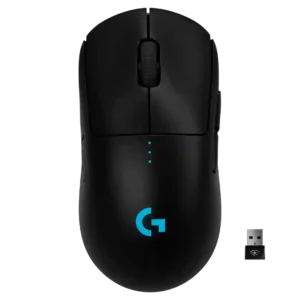
Side button quality was highly praised for placement, click feel, modularity, and ambidextrous flexibility.
Pros: polling rate, motion consistency
Cons: MOBA gaming suitability, durability over time

Side button quality was praised for tactile feedback, placement, and responsiveness, with only limited caveats around reach.
Pros: motion consistency, surface compatibility
Cons: handedness options, software stability

Side buttons were generally a strength, often called well placed, firm, separated, and easy to identify, though one review found tactility only decent.
Pros: click latency, balance and weight distribution
Cons: 2.4GHz connectivity, software stability

Side button quality was one of the most consistent strengths, with reviewers praising placement, tactility, crispness, and low travel.
Pros: drag click support, claw grip comfort
Cons: handedness options, Bluetooth support

Side buttons were usually praised for placement and reachability, although a few reviewers found some Easy-Shift combinations awkward or dependent on hand size.
Pros: left and right click quality, software stability
Cons: polling rate, cross-platform compatibility

Side button quality was usually praised for tactile feel and secure panels, though the dense 12-button layout challenged some users.
Pros: sensor performance, click latency
Cons: software stability, Bluetooth support

Side button quality is generally praised as crisp, tactile, and premium, with one negative review finding them harsh and undampened.
Pros: durability over time, sensor performance
Cons: MMO gaming suitability, surface compatibility
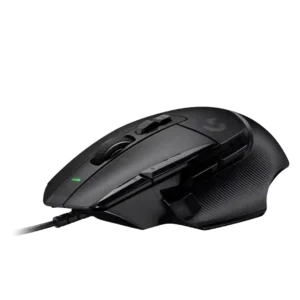
Side button quality was a major strength for most reviewers because the thumb/sniper button was easier to reach and customizable, though small-hand reach was a concern.
Pros: Accuracy and tracking precision, click latency
Cons: claw grip comfort, portability

Side buttons were generally praised for placement, tactility, and accessibility without many accidental presses.
Pros: lift-off distance, motion consistency
Cons: cross-platform compatibility, handedness options

Side button quality was generally praised, with reviewers noting satisfying side clicks, easy thumb access, and good in-game feel.
Pros: cable flexibility, weight
Cons: software stability, handedness options

Side buttons were usually easy to reach and press, but one reviewer found them a little mushier than the rest of the mouse.
Pros: weight, balance and weight distribution
Cons: water and dust resistance, RGB features

Side buttons were praised for placement, snappiness, and quality, with no major issues reported.
Pros: 2.4GHz connectivity, connection stability
Cons: cable flexibility, handedness options

Side buttons were usually praised for access, low travel, and tactility, with a few reviewers finding them softer or simply adequate.
Pros: motion consistency, sensor performance
Cons: software stability, MMO gaming suitability

Side button opinions were mixed-to-positive: one reviewer found them spongy, while others praised their placement and accessibility.
Pros: FPS gaming suitability, weight
Cons: fingertip grip comfort, handedness options

Side button quality was widely praised for tactile actuation, force, placement, and adjustability, with a few concerns about learning curve or jitter.
Pros: click latency, macro support
Cons: firmware reliability, tilt gesture controls

Side buttons were mostly well received for access and precision, with some notes that they were louder or more traditional than the mains.
Pros: wireless latency, surface compatibility
Cons: RGB features, firmware reliability

Side button quality is mostly strong thanks to low wobble and good feel, with one reviewer noting more travel than the Superlight 2.
Pros: palm grip comfort, handedness options
Cons: Bluetooth support, MMO gaming suitability

Side button quality was mixed: several reviewers found them responsive and easy to hit, while others called them merely OK, mushy, or less crisp.
Pros: click latency, onboard memory
Cons: lift-off distance, debounce customization
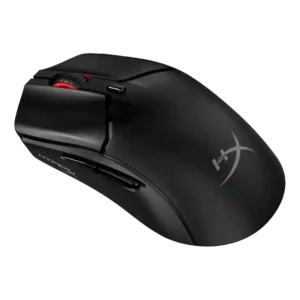
Side buttons were generally usable and well placed, with disagreement over sponginess, wiggle, and post-travel.
Pros: cable flexibility, connection stability
Cons: motion consistency, software stability

Side button feedback was polarized, with strong praise from some reviewers and a budget-feeling complaint from another.
Pros: 2.4GHz connectivity, surface compatibility
Cons: click noise, software stability

Side buttons are mostly liked for clear actuation and placement, but one reviewer found them mushier than the main clicks.
Pros: motion consistency, Accuracy and tracking precision
Cons: cable flexibility, palm grip comfort

Side-button quality was usually praised for placement, tactile feel, and low accidental-click risk, though some reviewers found access cramped, sensitive, or only average.
Pros: click latency, motion consistency
Cons: firmware reliability, weight tuning
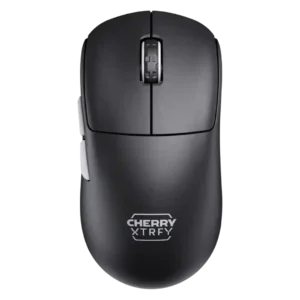
Side buttons received positive notes for feedback and positioning, but some criticism appeared around travel and feel.
Pros: 2.4GHz connectivity, long-session comfort
Cons: programmable buttons, button customization
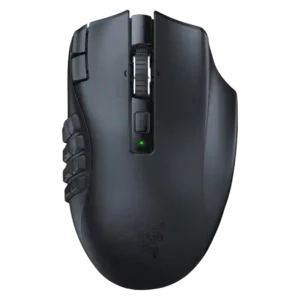
Side button quality was mixed but mostly positive: several reviewers liked reach, tactility, and click feel, while one found the grid hard to learn.
Pros: Accuracy and tracking precision, sensor performance
Cons: handedness options, fingertip grip comfort

Side buttons were generally accessible and comfortable, though one reviewer wanted larger D3 side buttons.
Pros: glide smoothness, sensor performance
Cons: grip texture, firmware reliability

Side button feedback was mixed: several reviewers liked the improved feel and reach, while others found them too long or easy to hit accidentally.
Pros: click latency, motion consistency
Cons: palm grip comfort, fingertip grip comfort

Side button quality is mixed-positive: placement is often praised, but reviewers also complain about low-key, recessed, flush, or slippery buttons.
Pros: click latency, fingertip grip comfort
Cons: firmware reliability, skate durability

Side button quality was context-dependent, with praise for tactile feedback and convenient placement but a left-hand usability complaint.
Pros: onboard memory, software stability
Cons: handedness options

Side buttons divided reviewers, ranging from underwhelming low tension to very good placement and feel.
Pros: battery life, programmable buttons
Cons: software stability, firmware reliability

Side button quality was highly split, with praise for tactility and implementation but criticism of size, force, and forward placement.
Pros: Accuracy and tracking precision, sensor performance
Cons: software stability, value for money
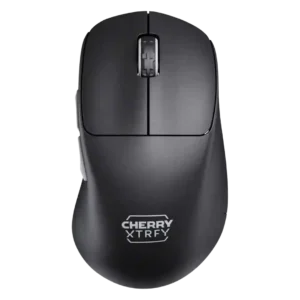
Side button quality split reviewers: some complained about reach, mushiness, or pre-travel, while others praised the thumb buttons as dependable or exceptional.
Pros: 2.4GHz connectivity, long-session comfort
Cons: debounce customization, fingertip grip comfort

Side button quality was mixed: several reviewers praised crisp placement, while others found them small, high, or stiff.
Pros: connection stability, weight
Cons: handedness options, software usability

Side button quality was mixed: some reviewers liked the feel, bounce, and feedback, while another criticized rigid, cheap-feeling plastic.
Pros: motion consistency, wireless latency
Cons: palm grip comfort, software stability

Side buttons were useful and tactile for some reviewers, but their smaller size and third-button placement created strain or mis-click concerns for others.
Pros: ecosystem integration, sensor performance
Cons: AI Prompt Master, durability over time
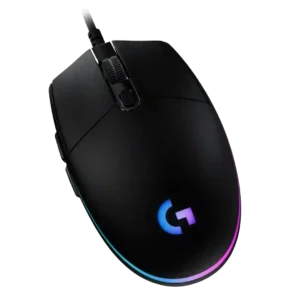
Side button quality is mixed: several reviewers liked their accessibility and click feel, while others found them small, thin, mushy, or too tiny for comfort.
Pros: acceleration control, dock compatibility
Cons: portability, onboard memory
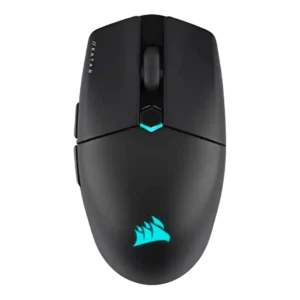
Side buttons were praised for placement and definition in some reviews, but others disliked their resistance or had game-registration problems.
Pros: software stability, click latency
Cons: MMO gaming suitability, palm grip comfort

Side button quality was mixed, ranging from thin and less premium to easily accessible and functional.
Pros: connection stability, left and right click quality
Cons: palm grip comfort, profile switching

Side button quality was the most divided attribute: some found the grid tactile and easy, while others found it cramped, stiff, or hard to distinguish.
Pros: motion consistency, surface compatibility
Cons: onboard memory, handedness options
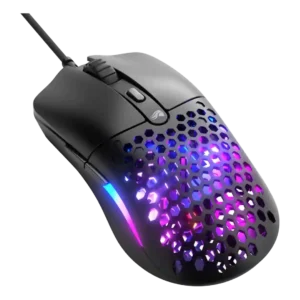
Side button quality was divisive: one reviewer strongly criticized size and misclicks, while others found the buttons large or convenient.
Pros: value for money, click latency
Cons: water and dust resistance, cable flexibility
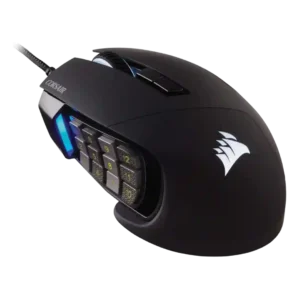
Side button quality was the most divided core feature: reviewers liked texture and tactility, but some struggled with crowding, reach, or accidental presses.
Pros: button responsiveness, long-session comfort
Cons: handedness options, switch durability

Side button quality was mixed, with some reviewers liking reach and tactility while others found the buttons small or mushy.
Pros: button responsiveness, cable flexibility
Cons: firmware reliability, MMO gaming suitability

Side button quality is adequate to good, with tactile clicks and usable placement, but not all reviewers find them premium.
Pros: left and right click quality, dock compatibility
Cons: Bluetooth support, cross-platform compatibility

Side button quality was the most divided area: some praised easy swapping and placement, while many criticized looseness, low profiles, and fiddly use.
Pros: handedness options, Accuracy and tracking precision
Cons: tilt gesture controls, software stability