Best for 2.4GHz connectivity
MSI Versa 300 Wireless 8K
5.0 feature score
Highest scored product for this feature based on supporting review evidence.
Highest scored product for this feature based on supporting review evidence.
Balances feature score, supporting reviews, and overall product strength.
Has the broadest review evidence for this feature.
Strongest overall product among items with scored evidence for this feature.

The 2.4GHz link is consistently described as fast and dependable, including at high polling rates. Several testers said it behaved much like a wired connection.
Pros: Accuracy and tracking precision, click latency
Cons: software stability, profile switching
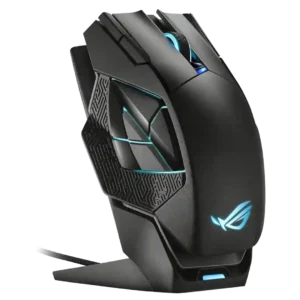
Reviewers praised the 2.4GHz wireless path when tied to the dock, with multiple tests reporting flawless signal and no latency problems.
Pros: motion consistency, 2.4GHz connectivity
Cons: fingertip grip comfort, cross-platform compatibility

Reviewers found the 2.4GHz HyperSpeed connection essentially wired-like, with strong responsiveness and no meaningful connection complaints.
Pros: sensor performance, click latency
Cons: software stability, Bluetooth support

Reviewers who evaluated 2.4GHz use treated it as the main gaming mode and reported it was reliable or issue-free.
Pros: click latency, macro support
Cons: firmware reliability, tilt gesture controls

2.4GHz connectivity was praised as reliable and ideal for high-speed gaming.
Pros: 2.4GHz connectivity, surface compatibility
Cons: click noise, software stability

Reviewers who discussed the 2.4GHz link found it responsive, with solid signal behavior and wired-like performance when using the dongle.
Pros: click latency, motion consistency
Cons: handedness options, Bluetooth support

The 2.4GHz connection was praised directly as fast and reliable in competitive use.
Pros: 2.4GHz connectivity, long-session comfort
Cons: programmable buttons, button customization

The 2.4GHz connection was praised through an instant, fast connection experience with the included dongle.
Pros: macro support, fingertip grip comfort
Cons: weight tuning, cable flexibility

The 2.4GHz connection was praised for higher performance, lower latency, and a much higher polling rate than Bluetooth.
Pros: click latency, motion consistency
Cons: handedness options, portability

2.4GHz connectivity was rated highly where discussed, with reviewers describing the Lightspeed connection as solid, fast, and wired-like.
Pros: click latency, motion consistency
Cons: software stability, cross-platform compatibility

2.4GHz connectivity was praised as the preferred low-latency, high-performance wireless mode for gaming.
Pros: left and right click quality, software stability
Cons: polling rate, cross-platform compatibility

Reviewers liked the low-latency 2.4GHz mode and receiver setup, especially when it reduced aim-related latency or supported a shared ROG receiver.
Pros: button responsiveness, cable flexibility
Cons: firmware reliability, MMO gaming suitability

2.4GHz connectivity was praised for stable, speedy Lightspeed/2.4GHz operation and high polling without a bulky receiver.
Pros: motion consistency, acceleration control
Cons: cable flexibility, cross-platform compatibility

The 2.4GHz connection was praised in one review as both fast and reliable.
Pros: 2.4GHz connectivity, long-session comfort
Cons: debounce customization, fingertip grip comfort

Reviewers praised LIGHTSPEED/2.4GHz as fast, snappy, and seamless, with several recommending the dongle for gaming over Bluetooth.
Pros: 2.4GHz connectivity, connection stability
Cons: cable flexibility, handedness options

Dongle-based wireless connectivity was praised for helpful indicators, strong signal, and improved convenience over older dongles.
Pros: balance and weight distribution, build quality
Cons: dock compatibility, Bluetooth support

2.4GHz connectivity received strong marks for gaming preference, lag-free behavior, and wireless 8K support without extra add-ons.
Pros: acceleration control, wireless latency
Cons: onboard memory, MMO gaming suitability

2.4GHz connectivity is praised for stable SpeedNova/Omni performance, a strong signal, and responsive operation.
Pros: motion consistency, Accuracy and tracking precision
Cons: cable flexibility, palm grip comfort
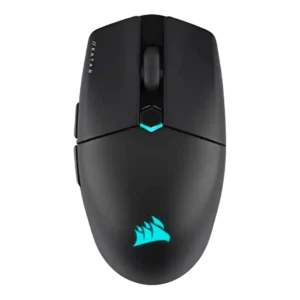
2.4GHz connectivity was praised as fast, reliable, and stable for gaming.
Pros: software stability, click latency
Cons: MMO gaming suitability, palm grip comfort

2.4GHz connectivity was praised for responsiveness and low-latency precision, especially through HyperSpeed mode.
Pros: ecosystem integration, sensor performance
Cons: AI Prompt Master, durability over time
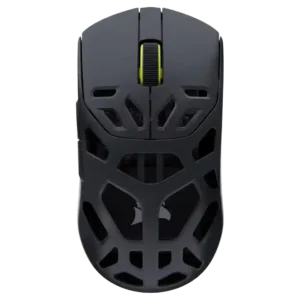
The 2.4GHz connection was praised for low latency and rapid movement/click response in gaming use.
Pros: Accuracy and tracking precision, click latency
Cons: cable flexibility, ecosystem integration
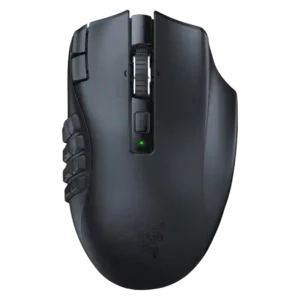
2.4GHz connectivity was highly rated for easy setup, fast connection, stable polling, and near-wired latency.
Pros: Accuracy and tracking precision, sensor performance
Cons: handedness options, fingertip grip comfort
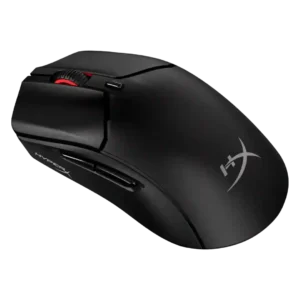
2.4GHz connectivity was praised for easy pairing, reliable dongle use, and convenient switching alongside Bluetooth.
Pros: long-session comfort, balance and weight distribution
Cons: software stability, firmware reliability

2.4GHz connectivity was praised for enabling the best polling experience and for reliable dongle placement close to the mouse.
Pros: click latency, motion consistency
Cons: palm grip comfort, fingertip grip comfort

Reviewers liked the included HyperSpeed or 2.4GHz path for low-latency wireless use, with multi-device dongle convenience also mentioned.
Pros: lift-off distance, motion consistency
Cons: cross-platform compatibility, handedness options

2.4GHz Slipstream is a strength, with reviewers praising its solid, low-latency connection and high polling capability.
Pros: long-session comfort, sensor performance
Cons: handedness options, software stability

2.4GHz connectivity was praised for easy setup, low-latency use, and stronger gaming-oriented signal behavior.
Pros: weight, balance and weight distribution
Cons: water and dust resistance, RGB features

2.4GHz connectivity was praised for easy setup, SpeedNova precision, reliable performance, and top-notch wireless behavior.
Pros: cable flexibility, weight
Cons: software stability, handedness options

2.4GHz connectivity was praised for reliable operation, easy switching, useful receiver placement, and strong overall connectivity.
Pros: motion consistency, wireless latency
Cons: palm grip comfort, software stability

Reviewers who evaluated wireless setup praised the 2.4GHz path as the right performance-first choice, with stable low-latency behavior and easy receiver use.
Pros: durability over time, sensor performance
Cons: MMO gaming suitability, surface compatibility
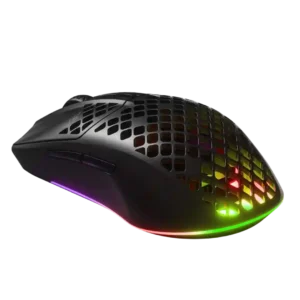
2.4GHz connectivity was valued for accuracy and seamless gaming use, though some reviews reported reliability issues elsewhere.
Pros: Accuracy and tracking precision, surface compatibility
Cons: firmware reliability, palm grip comfort

2.4GHz connectivity evidence was positive where reviewers tested the receiver or dongle, especially for low-lag or stutter-free use.
Pros: click latency, motion consistency
Cons: firmware reliability, weight tuning

Reviewers discussed the 2.4GHz receiver mainly as part of the broader wireless setup, with praise for low-latency use when paired with the booster.
Pros: connection stability, weight
Cons: handedness options, software usability

The dongle-based wireless connection drew positive feedback for avoiding connection drops, though the evidence is about stable 2.4GHz use rather than broader wireless flexibility.
Pros: drag click support, claw grip comfort
Cons: handedness options, Bluetooth support
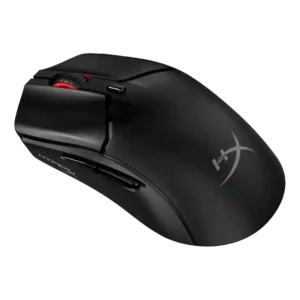
The 2.4GHz connection received direct praise as the best-feeling mode in one review.
Pros: cable flexibility, connection stability
Cons: motion consistency, software stability

The 2.4GHz dongle connection is described as fast and stable, with no lag or drop-outs in the cited review.
Pros: left and right click quality, dock compatibility
Cons: Bluetooth support, cross-platform compatibility
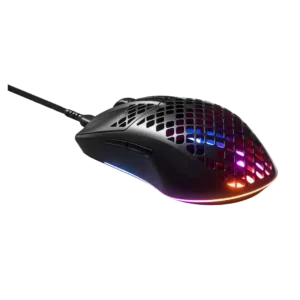
2.4GHz connectivity contributed positively to avoiding cable dependence in the wireless model.
Pros: click latency, acceleration control
Cons: palm grip comfort, onboard memory

2.4GHz connectivity was viewed as the preferred gaming mode thanks to fast, low-latency HyperSpeed use and dongle placement options.
Pros: motion consistency, sensor performance
Cons: software stability, MMO gaming suitability

Reviewers generally found the 2.4GHz mode reliable, low-latency, and best for gaming, with occasional notes that dongle placement or switches could affect ease.
Pros: build quality, ergonomic design
Cons: handedness options, RGB features

2.4GHz connectivity was praised for gaming latency, stability, and being a major selling point.
Pros: motion consistency, surface compatibility
Cons: handedness options, software stability
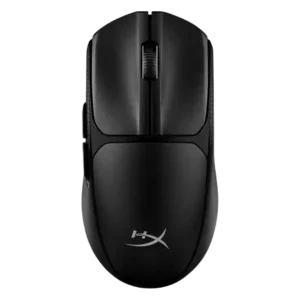
2.4GHz connectivity was praised for smooth, stable, responsive gaming performance and no noticeable lag in testing.
Pros: wireless latency, Accuracy and tracking precision
Cons: side button quality, materials quality

2.4GHz connectivity was praised for speed, responsiveness, and practical wireless switching.
Pros: handedness options, Accuracy and tracking precision
Cons: tilt gesture controls, software stability

2.4GHz connectivity was praised as a fast, stable wireless option.
Pros: wireless latency, surface compatibility
Cons: RGB features, firmware reliability

2.4GHz connectivity was positively supported by performance on Windows and a reviewer preference for 2.4 GHz.
Pros: glide smoothness, sensor performance
Cons: grip texture, firmware reliability

Reviewers found the 2.4GHz Lightspeed dongle dependable over normal use distances, with strong gaming performance despite one note about the crowded band.
Pros: motion consistency, wireless latency
Cons: Bluetooth support, acceleration control

2.4 GHz connectivity was praised as stable, solid, and more reliable for gaming use.
Pros: skate durability, cross-platform compatibility
Cons: handedness options, click noise

2.4GHz connectivity is usually praised for fast, stable, low-latency use, though one review had setup trouble.
Pros: click latency, fingertip grip comfort
Cons: firmware reliability, skate durability

Reviewers generally found the 2.4GHz dongle responsive and gaming-ready, though several disliked the USB-C dongle/adapter arrangement.
Pros: motion consistency, connection stability
Cons: weight tuning, fingertip grip comfort

2.4GHz connectivity was generally viewed as the best gaming connection, though USB-C dongle ergonomics drew some caveats.
Pros: motion consistency, surface compatibility
Cons: onboard memory, handedness options

2.4GHz connectivity was scored from the review that tied the dongle setup to better reception and reliability.
Pros: onboard memory, software stability
Cons: handedness options