Best for macro support
Corsair Scimitar Elite Wireless SE
5.0 feature score
Highest scored product for this feature based on supporting review evidence.
Highest scored product for this feature based on supporting review evidence.
Balances feature score, supporting reviews, and overall product strength.
Has the broadest review evidence for this feature.
Strongest overall product among items with scored evidence for this feature.

Macro support was consistently praised, especially for MMO rotations, productivity shortcuts, and Stream Deck-style workflows.
Pros: click latency, macro support
Cons: firmware reliability, tilt gesture controls

Macro support was praised as easy and useful, especially for MMOs and complex workflows.
Pros: sensor performance, click latency
Cons: software stability, Bluetooth support

Macro support was praised for an easy-to-use macro tool that guides users through setup.
Pros: macro support, fingertip grip comfort
Cons: weight tuning, cable flexibility

Macro support was a strength through Synapse, HyperShift, and extra programmable controls.
Pros: lift-off distance, motion consistency
Cons: cross-platform compatibility, handedness options
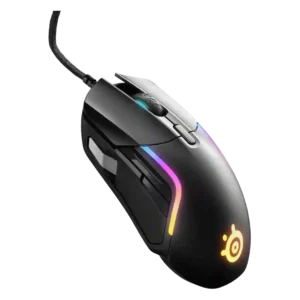
Macro support was praised where tested, with reviewers finding macro creation intuitive, comfortable, or reliable even for longer macros.
Pros: switch durability, surface compatibility
Cons: weight tuning, portability

Macro support was consistently positive among reviewers who used it for productivity, profiles, or game-specific commands.
Pros: click latency, motion consistency
Cons: firmware reliability, weight tuning

Macro support was praised in the reviews that tested it, especially for program-specific macros and drag-and-drop command assignment.
Pros: click latency, motion consistency
Cons: software stability, cross-platform compatibility

Macro support was praised for game and productivity use, with several reviewers highlighting easy macro setup or useful extra mapped actions.
Pros: click latency, motion consistency
Cons: handedness options, portability

Macro support was positively framed as useful for Adobe workflows, shortcut creation, and users who bind many mouse actions.
Pros: ecosystem integration, sensor performance
Cons: AI Prompt Master, durability over time
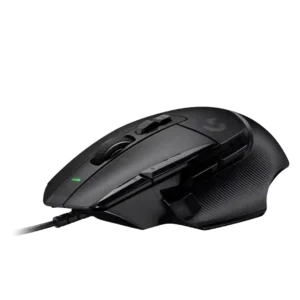
Macro support was praised by reviewers who valued assigning important commands and macros through Logitech software.
Pros: Accuracy and tracking precision, click latency
Cons: claw grip comfort, portability

Macro support was a strong positive for games and productivity, though one reviewer complained about limited Windows shortcut handling.
Pros: motion consistency, surface compatibility
Cons: onboard memory, handedness options
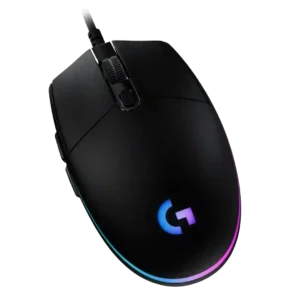
Macro support is a strong software benefit, with reviewers repeatedly noting macro creation, command sequences, and integrations that exceed expectations at the price.
Pros: acceleration control, dock compatibility
Cons: portability, onboard memory

Macro support was supported through NGENUITY and generally treated as useful for side-button mappings and personal play-style setup.
Pros: motion consistency, wireless latency
Cons: palm grip comfort, software stability
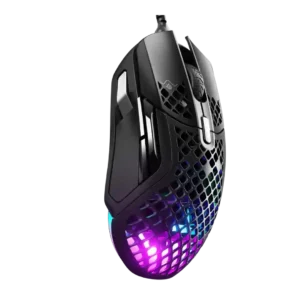
Macro support was viewed positively where mentioned, with reviewers liking broad customization and straightforward macro setup.
Pros: glide smoothness, click latency
Cons: handedness options, DPI range

Macro support was treated as important for getting full use from the mouse.
Pros: premium feel, Accuracy and tracking precision
Cons: software stability, FPS gaming suitability

Macro support was positively noted through the dock’s ability to execute macros.
Pros: glide smoothness, sensor performance
Cons: grip texture, firmware reliability

Macro support was praised through Synapse, with one reviewer noting easy custom macro setup across the buttons.
Pros: 2.4GHz connectivity, surface compatibility
Cons: click noise, software stability

Macro support received positive evidence where reviewers found assigning downloadable or preset macros straightforward.
Pros: Accuracy and tracking precision, sensor performance
Cons: onboard memory, handedness options

Macro and custom action support was described as useful for assigning extra in-game controls to the side buttons.
Pros: click latency, balance and weight distribution
Cons: 2.4GHz connectivity, software stability
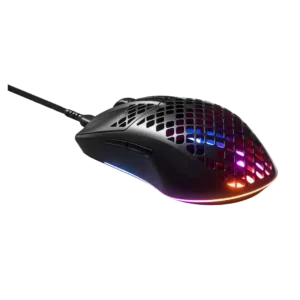
Macro support was treated positively as part of a broader customization setup reviewers valued.
Pros: click latency, acceleration control
Cons: palm grip comfort, onboard memory

Macro support was viewed positively because SWARM II made macro creation or recording accessible, with built-in and custom macro options.
Pros: left and right click quality, software stability
Cons: polling rate, cross-platform compatibility

Macro support was positively tied to G Hub, with reviewers noting commands, macros, and media controls could be assigned to buttons.
Pros: 2.4GHz connectivity, connection stability
Cons: cable flexibility, handedness options

Macro support was only clearly evaluated in one review, where automatic game profiles applying macros was treated as useful.
Pros: click latency, motion consistency
Cons: palm grip comfort, fingertip grip comfort
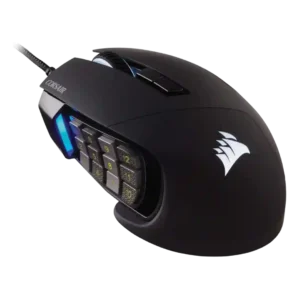
Macro support was a major strength, especially for MMO/MOBA hotkeys, though one older review noted software macro limitations.
Pros: button responsiveness, long-session comfort
Cons: handedness options, switch durability

Macro support was positively received, with reviewers finding macro setup and assignment options useful despite broader software complaints.
Pros: Accuracy and tracking precision, motion consistency
Cons: handedness options, lift-off distance

Macro support was considered useful and easy to record, although one review said advanced users may miss deeper macro scripting.
Pros: Accuracy and tracking precision, click latency
Cons: cable flexibility, ecosystem integration

Macro support was positively received where reviewers noted broad macro assignment and useful extra-button workflows.
Pros: motion consistency, connection stability
Cons: weight tuning, fingertip grip comfort
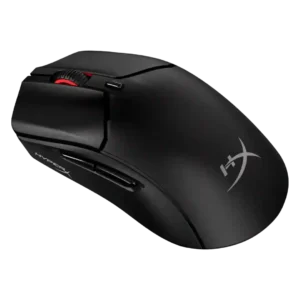
Macro support was viewed positively where mentioned, with reviewers noting macros were easy to assign through NGENUITY.
Pros: long-session comfort, balance and weight distribution
Cons: software stability, firmware reliability

Macro support was present and useful for games or device control, with Easy Shift adding utility beyond basic commands.
Pros: weight, balance and weight distribution
Cons: water and dust resistance, RGB features

Macro support is supported by the software evidence, where macro creation sits alongside profiles and other user-friendly customization tools.
Pros: motion consistency, Accuracy and tracking precision
Cons: cable flexibility, palm grip comfort

Macro support was viewed positively where mentioned, with iCUE allowing shortcuts, media controls, app launches, and macros.
Pros: handedness options, Accuracy and tracking precision
Cons: tilt gesture controls, software stability

Macro setup was generally praised as simple, useful, and available through SteelSeries GG or Engine.
Pros: build quality, ergonomic design
Cons: handedness options, RGB features
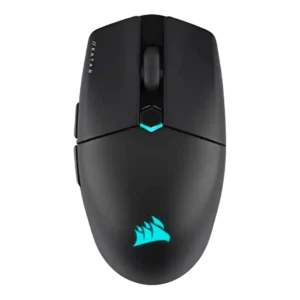
Macro support was viewed positively, with iCUE offering game-specific macros, app launchers, text actions, and detailed mapping options.
Pros: software stability, click latency
Cons: MMO gaming suitability, palm grip comfort

Macro support was viewed as useful across reviews, but practical flexibility is constrained by the small number of buttons.
Pros: FPS gaming suitability, weight
Cons: fingertip grip comfort, handedness options
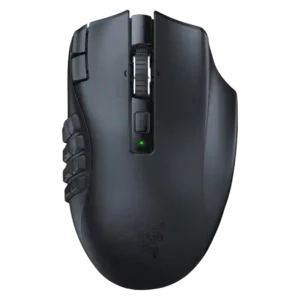
Macro support was strong for MMO use and general commands, but one reviewer found the macro sequence tools limited versus a Stream Deck.
Pros: Accuracy and tracking precision, sensor performance
Cons: handedness options, fingertip grip comfort

Macro support is viewed as useful for gaming and productivity, especially when mapped to creative tools, inventory management, or key presses.
Pros: long-session comfort, sensor performance
Cons: handedness options, software stability

Macro support received positive evidence where reviewers described helpful macro assignment or macro recording within the software feature set.
Pros: onboard memory, software stability
Cons: handedness options
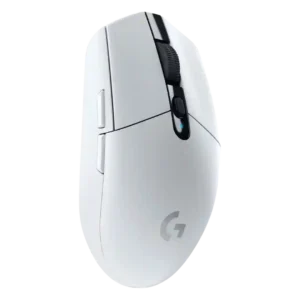
Macro support was viewed as a useful part of Logitech’s customization package, with reviewers noting it was available and easy enough to use.
Pros: motion consistency, wireless latency
Cons: Bluetooth support, acceleration control
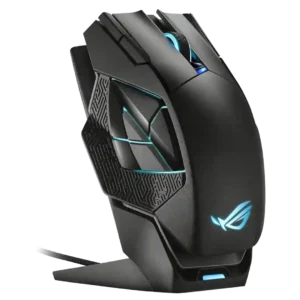
Macro support was present and usable, with praise for remapping and recording macros, though one reviewer called it standard.
Pros: motion consistency, 2.4GHz connectivity
Cons: fingertip grip comfort, cross-platform compatibility

Macro support was useful overall, but one reviewer found the included game macro list outdated for the latest Battlefield.
Pros: wireless latency, surface compatibility
Cons: RGB features, firmware reliability

Simple and multi-stage macros are available and easy to assign. The tools are sufficient for everyday shortcuts but not especially deep.
Pros: Accuracy and tracking precision, click latency
Cons: software stability, profile switching

Macro support was positively tied to the software's broader customization options.
Pros: skate durability, cross-platform compatibility
Cons: handedness options, click noise
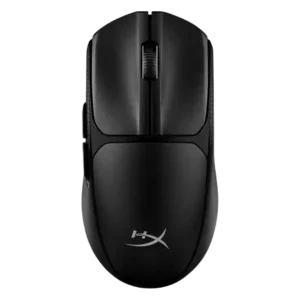
Macro support was positively tied to straightforward customization in the one review that evaluated it beyond a factual mention.
Pros: wireless latency, Accuracy and tracking precision
Cons: side button quality, materials quality
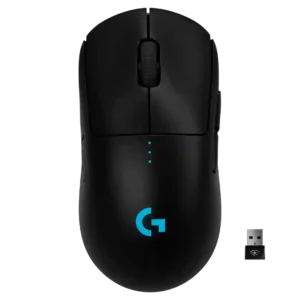
Macro support was positively mentioned through Logitech software and G-Shift style customization.
Pros: polling rate, motion consistency
Cons: MOBA gaming suitability, durability over time

Macro support was positively noted in one review through G Hub, where the reviewer highlighted the ability to create macros.
Pros: click latency, onboard memory
Cons: lift-off distance, debounce customization

Macro support was viewed as flexible, with side buttons able to be macroed through SteelSeries software.
Pros: connection stability, left and right click quality
Cons: palm grip comfort, profile switching

Macro support was useful through G Hub, but the limited button count reduced how far reviewers could take macro-heavy setups.
Pros: motion consistency, acceleration control
Cons: cable flexibility, cross-platform compatibility

Macro support was split: some reviewers praised easy macros and presets, while another noted the software did not offer fully programmable macros in their assessment.
Pros: motion consistency, sensor performance
Cons: software stability, MMO gaming suitability

Macro support was available and useful in Web Hub, but reviewers also noted that the small button count limits how much macro use makes sense.
Pros: connection stability, weight
Cons: click latency, cable flexibility
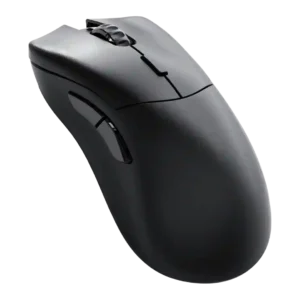
Macro support was mixed: reviewers liked having a macro recorder and extensive functions, but one found macros hit-or-miss in practice.
Pros: click latency, switch durability
Cons: Bluetooth support, handedness options