Best for claw grip comfort
Endgame Gear XM2we
4.9 feature score
Highest scored product for this feature based on supporting review evidence.
Highest scored product for this feature based on supporting review evidence.
Balances feature score, supporting reviews, and overall product strength.
Has the broadest review evidence for this feature.
Strongest overall product among items with scored evidence for this feature.

Claw-grip comfort was a major strength, with several reviewers describing the XM1-derived shape as excellent or near-perfect for claw users.
Pros: drag click support, claw grip comfort
Cons: handedness options, Bluetooth support
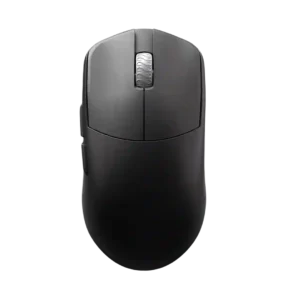
Claw grip comfort is consistently strong, with reviewers describing the shape as excellent for claw, relaxed claw, or aggressive claw grips.
Pros: DPI range, balance and weight distribution
Cons: charging convenience, click noise

Claw grip comfort was a strong fit, with reviewers praising the rear arch and overall shape for claw-style control.
Pros: weight, balance and weight distribution
Cons: water and dust resistance, RGB features

Claw grip comfort was a major strength, with many reviewers calling the Viper shape especially suited to claw users.
Pros: balance and weight distribution, build quality
Cons: dock compatibility, Bluetooth support

Claw grip comfort was broadly positive, with reviewers calling the mouse comfortable or easy to use for claw grip.
Pros: macro support, fingertip grip comfort
Cons: weight tuning, cable flexibility

Claw grip support was a major strength, with multiple reviewers calling the shape ideal or especially comfortable for claw variants.
Pros: click latency, balance and weight distribution
Cons: 2.4GHz connectivity, software stability

Claw grip comfort was strong, especially for reviewers with smaller hands and those who liked the Basilisk’s supported shape.
Pros: ecosystem integration, sensor performance
Cons: AI Prompt Master, durability over time

Claw grip comfort was a major strength, with multiple reviewers calling the shape suitable, easy, or ideal for claw users.
Pros: acceleration control, wireless latency
Cons: onboard memory, MMO gaming suitability

Claw grip comfort was consistently strong, with reviewers repeatedly identifying claw grip as one of the Cobra Pro’s best fits.
Pros: motion consistency, sensor performance
Cons: software stability, MMO gaming suitability

Claw grip comfort was generally positive where discussed, with reviewers saying the shape works across grip styles.
Pros: 2.4GHz connectivity, surface compatibility
Cons: click noise, software stability

Claw grip comfort was a major strength, repeatedly tied to the compact esports shape.
Pros: cable flexibility, weight
Cons: software stability, handedness options

Claw-grip comfort was positive, with multiple reviewers finding the shape comfortable for claw or hybrid grips.
Pros: skate durability, cross-platform compatibility
Cons: handedness options, click noise

Claw grip comfort was positive for medium-to-large hands, with reviewers able to claw it easily despite the large shell.
Pros: left and right click quality, software stability
Cons: polling rate, cross-platform compatibility

Claw grip comfort was praised by reviewers who found the hump and control well-suited to that grip.
Pros: handedness options, Accuracy and tracking precision
Cons: tilt gesture controls, software stability

Claw grip comfort was generally positive in the reviews that specifically addressed it.
Pros: battery life, programmable buttons
Cons: software stability, firmware reliability
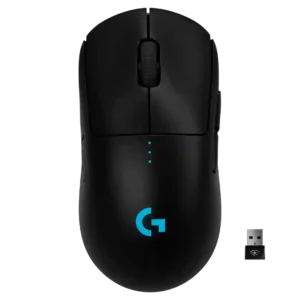
Claw grip comfort was strong, with reviewers saying the mouse suited claw grips well and caused little discomfort during long play.
Pros: polling rate, motion consistency
Cons: MOBA gaming suitability, durability over time

Claw grip comfort was positive for average-to-large hands, with reviewers saying claw or claw-hybrid users can use it well.
Pros: FPS gaming suitability, weight
Cons: fingertip grip comfort, handedness options

Claw grip comfort was positive in the reviews that tested it, especially for small to medium hands.
Pros: Accuracy and tracking precision, motion consistency
Cons: click noise, onboard memory

Claw grip users were well served, with multiple reviewers calling the shape comfortable or ideal for claw-style handling.
Pros: connection stability, left and right click quality
Cons: palm grip comfort, profile switching

Claw grip comfort had limited but positive evidence, with one reviewer saying claw grip felt good.
Pros: click latency, motion consistency
Cons: software stability, cross-platform compatibility
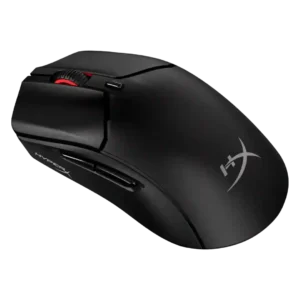
Claw grip comfort was consistently positive, with multiple reviewers saying the shape works especially well for claw users.
Pros: long-session comfort, balance and weight distribution
Cons: software stability, firmware reliability

Claw grip comfort was generally positive, with reviewers saying the ergonomics worked well for claw users.
Pros: motion consistency, surface compatibility
Cons: handedness options, software stability

Claw grip comfort is a major strength, especially for aggressive or relaxed claw users, though the exact fit depends on hand size and hump preference.
Pros: durability over time, sensor performance
Cons: MMO gaming suitability, surface compatibility

Claw grip comfort is supported by one reviewer who said the shape works for claw grip and broad grip preferences.
Pros: palm grip comfort, handedness options
Cons: Bluetooth support, MMO gaming suitability

Claw-grip comfort was generally positive, especially relaxed claw, though hand size affected comfort.
Pros: connection stability, weight
Cons: handedness options, software usability
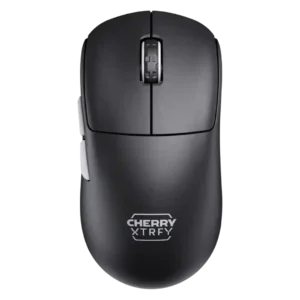
Claw grip support was a clear strength, with multiple reviewers saying the low-front shape suits relaxed or claw-style control.
Pros: 2.4GHz connectivity, long-session comfort
Cons: programmable buttons, button customization
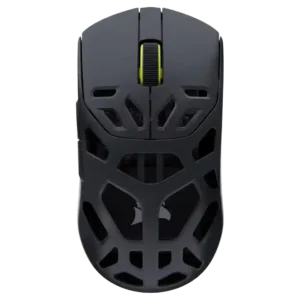
Claw grip comfort was a clear strength, with several reviewers calling the shape ideal or intentional for claw use.
Pros: Accuracy and tracking precision, click latency
Cons: cable flexibility, ecosystem integration

Claw grip comfort is positive, with reviewers repeatedly identifying claw or partial claw as an ideal or suitable grip style.
Pros: motion consistency, Accuracy and tracking precision
Cons: cable flexibility, palm grip comfort
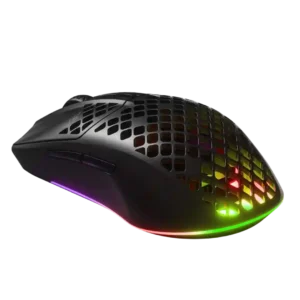
Claw grip support was frequently positive, with several reviewers finding the shape natural or comfortable for claw users.
Pros: Accuracy and tracking precision, surface compatibility
Cons: firmware reliability, palm grip comfort
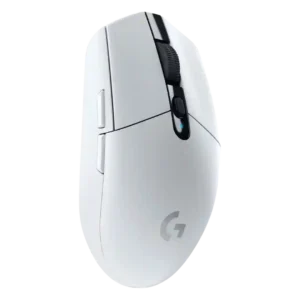
Claw grip comfort was usually positive, especially for small to medium hands, though some large-hand users still found the mouse small.
Pros: motion consistency, wireless latency
Cons: Bluetooth support, acceleration control

Claw grip support was positive in the reviews that addressed it, especially for medium to large hands.
Pros: premium feel, Accuracy and tracking precision
Cons: software stability, FPS gaming suitability

Claw grip comfort was positive, with reviewers saying the longer profile and shape felt natural or comfortable for claw use.
Pros: motion consistency, wireless latency
Cons: palm grip comfort, software stability

Claw grip comfort was broadly positive for small-to-medium hands, though larger hands or aggressive claw users sometimes found the shape less ideal.
Pros: click latency, motion consistency
Cons: handedness options, Bluetooth support

Claw grip comfort was one of the better-supported grip styles, especially for small-to-medium hands, although it depended strongly on hand size.
Pros: 2.4GHz connectivity, connection stability
Cons: cable flexibility, handedness options

The low, symmetrical shape was consistently described as comfortable or well-suited for claw grip users.
Pros: build quality, ergonomic design
Cons: handedness options, RGB features

Claw grip comfort was generally stronger than palm feedback, with reviewers calling the shape claw-friendly, though one claw-grip assessment was negative.
Pros: click latency, onboard memory
Cons: lift-off distance, debounce customization
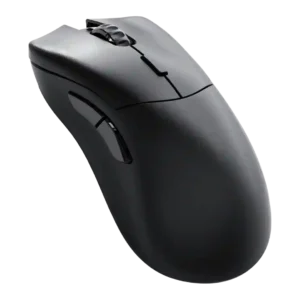
Claw grip comfort was positive in the two direct mentions, with reviewers finding the shape easier or nicer for claw grip.
Pros: click latency, switch durability
Cons: Bluetooth support, handedness options

Claw grip comfort has limited but positive evidence, with one reviewer saying claw use felt pretty good.
Pros: long-session comfort, sensor performance
Cons: handedness options, software stability

Claw grip comfort had limited but positive evidence, with the shape recommended for medium and small hands using palm or claw.
Pros: connection stability, weight
Cons: click latency, cable flexibility

Claw grip comfort was supported by one review that found the D3 suitable for claw-style use.
Pros: glide smoothness, sensor performance
Cons: grip texture, firmware reliability

Claw grip comfort was usually positive, with the revised hump and shell fitting relaxed claw users well.
Pros: motion consistency, wireless latency
Cons: handedness options, onboard memory

Claw grip comfort was generally positive, with reviewers saying claw use worked well or felt excellent despite the large shell.
Pros: click latency, motion consistency
Cons: handedness options, portability
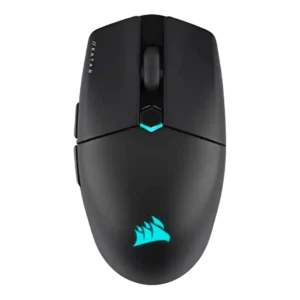
Claw grip comfort was generally positive, especially for small-to-medium hands, though one review found the rear grip lacking.
Pros: software stability, click latency
Cons: MMO gaming suitability, palm grip comfort

Claw grip comfort was the strongest grip-style fit, with several reviewers saying the shape comes alive or works best in claw grip.
Pros: click latency, motion consistency
Cons: palm grip comfort, fingertip grip comfort
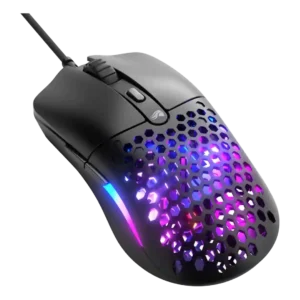
Claw grip feedback was mostly positive, though one reviewer found the back too shallow and not grippy enough for that style.
Pros: value for money, click latency
Cons: water and dust resistance, cable flexibility

Claw-grip comfort was generally positive but more context-dependent than palm grip because the larger ergonomic shape does not suit everyone equally.
Pros: Accuracy and tracking precision, sensor performance
Cons: onboard memory, handedness options

Claw grip support was mostly positive, though a few reviews noted holes or reach issues that can bother some claw users.
Pros: motion consistency, connection stability
Cons: weight tuning, fingertip grip comfort
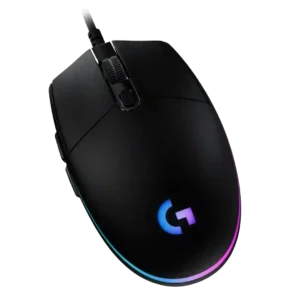
Claw grip comfort is generally good, especially for the compact low-profile body, though a few reviewers found it only acceptable or hand-position dependent.
Pros: acceleration control, dock compatibility
Cons: portability, onboard memory

Claw grip comfort was mixed-to-positive, working well for some larger-hand users but less naturally for others.
Pros: Accuracy and tracking precision, sensor performance
Cons: handedness options, tilt gesture controls
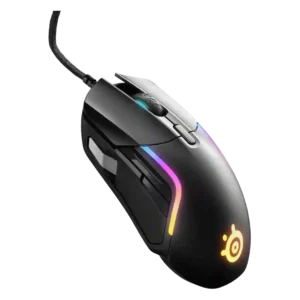
Claw grip comfort was mostly positive for suitable hand sizes, but at least one reviewer with smaller hands found it too big to claw comfortably.
Pros: switch durability, surface compatibility
Cons: weight tuning, portability