Best for button customization
SteelSeries Rival 5
4.9 feature score
Highest scored product for this feature based on supporting review evidence.
Highest scored product for this feature based on supporting review evidence.
Balances feature score, supporting reviews, and overall product strength.
Has the broadest review evidence for this feature.
Strongest overall product among items with scored evidence for this feature.
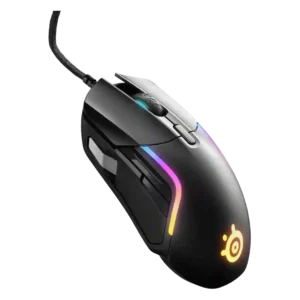
Button customization was a strength, with reviewers praising remapping, media controls, and broad function assignment through software.
Pros: switch durability, surface compatibility
Cons: weight tuning, portability

Button customization earned strong praise for easy DPI, binding, and dock adjustment options.
Pros: battery life, programmable buttons
Cons: software stability, firmware reliability

Button customization was one of the most consistently praised features, with reviewers emphasizing Easy-Shift, broad remapping, and extensive command options.
Pros: click latency, motion consistency
Cons: handedness options, portability

The adjustable side keypad and button mapping were repeatedly praised as practical, comfort-improving, and easy to tailor, though one reviewer found the adjustability less impactful.
Pros: click latency, macro support
Cons: firmware reliability, tilt gesture controls

Button customization was one of the strongest themes, with reviewers praising remapping, flexible profiles, and broad control options.
Pros: motion consistency, surface compatibility
Cons: onboard memory, handedness options

Button customization was viewed positively, especially through Razer Synapse remapping and broad command assignment.
Pros: 2.4GHz connectivity, surface compatibility
Cons: click noise, software stability

Customization was one of the clearest strengths, with swappable plates and extensive button options praised across nearly every review.
Pros: sensor performance, click latency
Cons: software stability, Bluetooth support

Button customization is one of the standout strengths, especially adjustable actuation, haptic strength, and individual left/right click tuning.
Pros: left and right click quality, dock compatibility
Cons: Bluetooth support, cross-platform compatibility

Button customization was rated well because Gear Link exposes broad assignment controls and reviewers found the interface comprehensive.
Pros: acceleration control, wireless latency
Cons: onboard memory, MMO gaming suitability

Customization drew positive comments for granular controls and strong software-hardware integration, though it still depends heavily on G Hub.
Pros: macro support, fingertip grip comfort
Cons: weight tuning, cable flexibility

Button customization was a clear strength, with reviewers praising flexible keybinds and dock controls.
Pros: glide smoothness, sensor performance
Cons: grip texture, firmware reliability

Button customization was praised through GG software, free configuration, remapping options, and practical use of side buttons in daily workflows.
Pros: click latency, motion consistency
Cons: palm grip comfort, fingertip grip comfort

Customization was a major strength, with extensive remapping, HyperShift, and button control through Synapse.
Pros: lift-off distance, motion consistency
Cons: cross-platform compatibility, handedness options
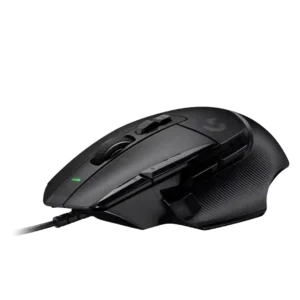
Button customization was widely praised for reach improvements, remapping, removable thumb control, and overall functionality, with one reviewer noting fat-finger risk.
Pros: Accuracy and tracking precision, click latency
Cons: claw grip comfort, portability

Button customization was a major strength across reviews, especially hot-swappable switches, second-layer inputs, and broad button reassignment.
Pros: onboard memory, software stability
Cons: handedness options
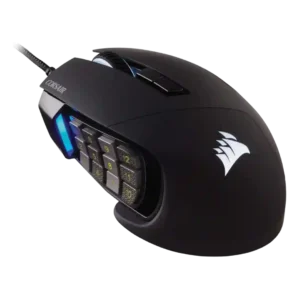
The sliding keypad and customization options were repeatedly praised for adapting the 12-button grid to different hands and workflows.
Pros: button responsiveness, long-session comfort
Cons: handedness options, switch durability

Button customization was a clear strength, with Synapse remapping, profiles, and extra functions repeatedly praised as useful.
Pros: motion consistency, sensor performance
Cons: software stability, MMO gaming suitability

Button customization was consistently praised, especially Easy-Shift and profile-based control, though one review wanted more useful default secondary functions.
Pros: left and right click quality, software stability
Cons: polling rate, cross-platform compatibility

Button customization was consistently praised for flexible remapping and personalized layouts.
Pros: handedness options, Accuracy and tracking precision
Cons: tilt gesture controls, software stability

Button customization is a strength, with reviewers highlighting unusually good customization for the price, gameplay versatility, and broad control in software.
Pros: motion consistency, Accuracy and tracking precision
Cons: cable flexibility, palm grip comfort

Button customization was a major strength, with reviewers liking the broad remapping options and flexible software control.
Pros: motion consistency, connection stability
Cons: weight tuning, fingertip grip comfort

Button customization was praised where reviewers discussed comprehensive software control and full configurability.
Pros: motion consistency, surface compatibility
Cons: handedness options, software stability
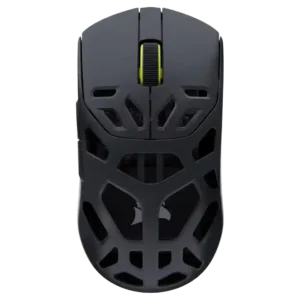
Button customization was praised across reviews because remapping, assignments, and profile-specific controls were easy to access.
Pros: Accuracy and tracking precision, click latency
Cons: cable flexibility, ecosystem integration

Button customization was praised for easy programming and broad finetuning options.
Pros: cable flexibility, weight
Cons: software stability, handedness options
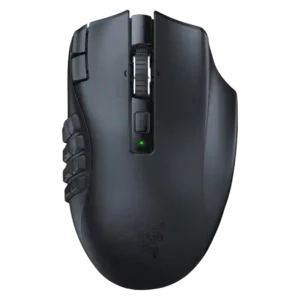
Button customization was a major strength, with reviewers mapping many commands, although one productivity-focused review found deeper sequences limited.
Pros: Accuracy and tracking precision, sensor performance
Cons: handedness options, fingertip grip comfort
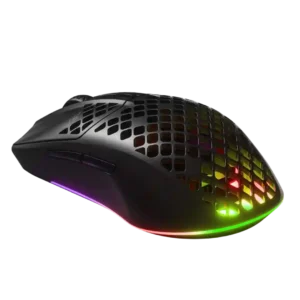
Button and sensitivity customization were praised as deep, useful, and easy to tune.
Pros: Accuracy and tracking precision, surface compatibility
Cons: firmware reliability, palm grip comfort

Button customization was praised through Synapse and Hypershift options, especially for users willing to configure the mouse.
Pros: Accuracy and tracking precision, sensor performance
Cons: onboard memory, handedness options
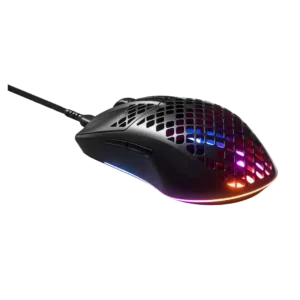
Button customization was considered valuable through SteelSeries Engine configuration flexibility.
Pros: click latency, acceleration control
Cons: palm grip comfort, onboard memory
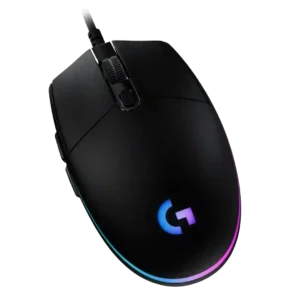
Button customization through G Hub is consistently praised as easy, flexible, and broad, covering remaps, commands, profiles, lighting, and per-app behavior.
Pros: acceleration control, dock compatibility
Cons: portability, onboard memory

Button customization was a clear strength, with reviewers praising remapping, physical DPI-shift adjustability, and flexible control setups.
Pros: Accuracy and tracking precision, motion consistency
Cons: handedness options, lift-off distance

Customization was a clear strength, with remapping, HyperShift, macros, and workflow personalization praised across several reviews.
Pros: ecosystem integration, sensor performance
Cons: AI Prompt Master, durability over time

Button customization was consistently treated as flexible and easy through Synapse or Synapse Web.
Pros: balance and weight distribution, build quality
Cons: dock compatibility, Bluetooth support
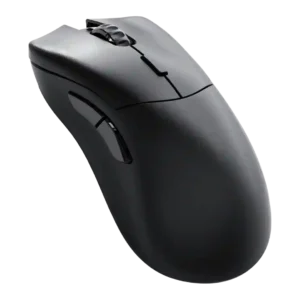
Customization drew strong praise because Glorious Core made remapping and performance settings easy, with many options available.
Pros: click latency, switch durability
Cons: Bluetooth support, handedness options

Button customization was a clear strength, with several reviewers noting easy remapping and broad control options.
Pros: wireless latency, surface compatibility
Cons: RGB features, firmware reliability

Button customization was widely praised for remapping, Easy-Shift, and macros, though a few reviewers found the Easy-Shift layout cumbersome or fiddly.
Pros: click latency, motion consistency
Cons: firmware reliability, weight tuning

Customization is one of the strongest themes, with reviewers praising deep button, DPI, RGB, gesture, and profile control despite software friction.
Pros: long-session comfort, sensor performance
Cons: handedness options, software stability

Button customization was strong across reviews thanks to removable, swappable, remappable, and software-assignable controls.
Pros: click latency, motion consistency
Cons: software stability, cross-platform compatibility

Button customization is a major advantage, with reviewers praising the easy magnetic swaps, remapping flexibility, and G Hub input options.
Pros: palm grip comfort, handedness options
Cons: Bluetooth support, MMO gaming suitability

Customization was praised when reviewers focused on deep performance tuning and highly configurable buttons, but criticized when the physical button layout felt too sparse.
Pros: button responsiveness, cable flexibility
Cons: firmware reliability, MMO gaming suitability

Button remapping and customization were praised through Synapse, though one first-impression review was less enthusiastic overall.
Pros: Accuracy and tracking precision, motion consistency
Cons: click noise, onboard memory
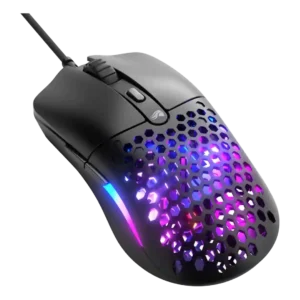
Button customization was reviewed positively through Glorious Core, with simple effective programming and free reconfiguration of mouse buttons.
Pros: value for money, click latency
Cons: water and dust resistance, cable flexibility
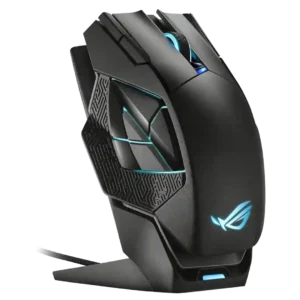
Customization earned strong praise for flexible remapping and useful productivity or gaming assignments, though some layouts required training.
Pros: motion consistency, 2.4GHz connectivity
Cons: fingertip grip comfort, cross-platform compatibility
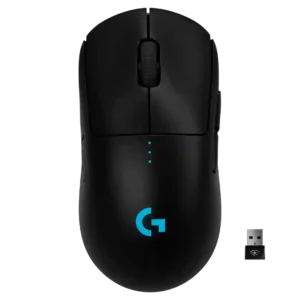
Button customization was a consistent strength thanks to removable side buttons and software remapping options.
Pros: polling rate, motion consistency
Cons: MOBA gaming suitability, durability over time

Button customization through Synapse was seen as useful and accessible, including remapping and DPI-related controls.
Pros: motion consistency, wireless latency
Cons: handedness options, onboard memory

Button customization was considered useful and easy in Swarm II, though one review called the limited remappable options a constraint.
Pros: weight, balance and weight distribution
Cons: water and dust resistance, RGB features

Button customization was viewed positively through G Hub remapping and macro assignment, though some praise was tied to the software experience rather than the hardware alone.
Pros: 2.4GHz connectivity, connection stability
Cons: cable flexibility, handedness options

Reviewers liked the ability to remap buttons and adjust controls in SteelSeries GG, although Bluetooth mode and profile switching added some limitations.
Pros: build quality, ergonomic design
Cons: handedness options, RGB features

Button customization was a major strength, with extensive remapping and joystick mode flexibility, despite software caveats.
Pros: premium feel, Accuracy and tracking precision
Cons: software stability, FPS gaming suitability
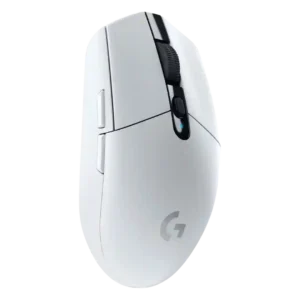
Button customization was widely liked because the six buttons and DPI controls can be remapped easily in Logitech software.
Pros: motion consistency, wireless latency
Cons: Bluetooth support, acceleration control

Button customization is generally praised because reviewers found remapping and settings easy, though the broader software presentation is not always polished.
Pros: durability over time, sensor performance
Cons: MMO gaming suitability, surface compatibility