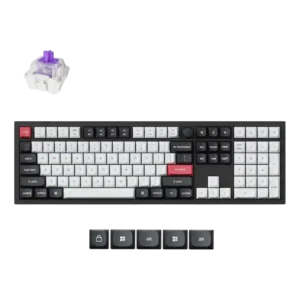
- Better: battery life and controls GamesRadar said the Asus ROG Azoth beats the One X on battery life and controls.
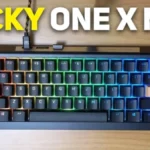
Ducky One X Wireless Review
Bottom Line
Choose the Ducky One X Wireless if you want a smooth, quiet analog-style keyboard with strong build and tri-mode connectivity. Skip it if you need mature software, deep gaming profiles, long battery life, or a wrist rest.
Best for users who want one keyboard for typing, casual gaming, and productivity, especially if they value smooth switches, damped sound, sturdy build, and tri-mode connectivity over deep esports software.
Not for buyers who need the most mature competitive feature stack, extensive profiles, SOCD-style controls, long wireless battery life with RGB, broad switch experimentation, or an included wrist rest.
Reviewers treat the Ducky One X Wireless as a physically impressive analog-style keyboard with an unusually strong stock experience. Its best evidence clusters around smooth inductive switches, sturdy construction, rich damped acoustics, strong stabilizers, PBT keycaps, and flexible wired, Bluetooth, and 2.4GHz connectivity. The tradeoff is that the software and gaming feature stack lag behind the hardware: profiles were missing in several early reviews and later improved, while rapid trigger tuning, SOCD-style extras, and setup guidance still look weaker than top Hall effect rivals. Battery life also disappoints with RGB on, so the board works best as a hybrid typing-and-gaming keyboard rather than a pure esports tool.
Compared in Reviews
Products reviewers directly compared with this model, grouped into quick takeaways.
Wooting 80HE
- Better: software usability PC Gamer found Wooting's web app much easier to use than Ducky Hub.
- Better: gaming performance and ease of use For gaming-first buyers, the Wooting 80HE was named among better options than the One X.
Meletrix BOOG75
- Similar: typing feel and sound The Meletrix BOOG75 was described as the closest match to the One X for feel and sound, with a more premium case.
Feature Scorecards
Pros
-
Key stability is consistently strong, with reviewers reporting little wobble, no rattling, stable switches, and solid larger keys.
-
Typing feel is one of the strongest points, described as among the best analog-board experiences and repeatedly praised across written and video reviews.
-
Acoustics receive strong praise; reviewers repeatedly describe the One X as fuller, deeper, muted, controlled, and better sounding than many analog competitors.
-
Reviewers widely liked the inductive switches for their smooth, stable feel, though one enthusiast noted they can feel heavier or less hover-like than some Hall effect switches.
-
Analog-style features are a strength, with adjustable actuation, multipoint trigger, rapid trigger, and per-key actuation called out across reviews.
-
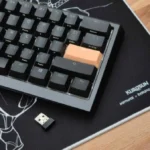
Connectivity is a consistent strength, with wired, Bluetooth, and 2.4GHz wireless modes cited across reviews.
-
Sound dampening is heavily supported by foam and gasket layers, producing a quieter, more controlled typing sound.
-
Stabilizers are a major bright spot, with reviewers praising pre-lube, low rattle, and strong larger-key control.
-
Layout options are good, with 100% and 60% versions plus broader layout support mentioned.
-
Build quality is one of the clearest strengths: reviewers repeatedly call the board solid, sturdy, heavy, and well built.
-
Frame rigidity is strong, with multiple reviewers reporting minimal flex, little bend, and a stiff chassis or plate.
-
Responsiveness is generally praised, with reviewers reporting fast response, snappy gameplay, and little perceived difference versus other high-end boards.
-
Cable quality is positively covered, with USB-C cables and adapters described as useful or improved.
-
Keycap quality is mostly praised for thick PBT material, texture, and durability, with caveats around smell and some alternate cap visibility.
-
Onboard memory/settings persistence is supported in some reviews, but the broader profile system remains limited.
-
Typing comfort is generally positive, especially for long typing and hybrid work, though the full-size layout can create some strain.
-
Gaming performance is good for casual and hybrid use, but reviewers split on whether it competes with top esports-focused Hall effect boards.
-
Noise level is generally low and soft, though one review reports coil whine with RGB on.
-
RGB customization is broadly available through effects and software controls, though the configurator is not always polished.
-
Volume control is a clear inclusion, with dedicated volume settings or hot keys noted by multiple reviews.
-
Inductive actuation is credited with accuracy, consistency, and stable response, though reviewers rarely measured this directly.
-
Reliability gets some positive evidence from stability fixes, no connection drops, and longevity claims, but broader concerns remain elsewhere.
-
Compatibility evidence is limited but positive, with ISO layout support mentioned.
-
Materials are generally acceptable to good, with PBT caps, metal plate, foams, and solid plastic, though some wanted a more premium metal case.
-
RGB lighting is generally attractive and uniform, but brightness and some alternate keycap effects are weaker points.
-
Portability is helped by wireless modes, dongle storage, and the 60% option, but the full-size board is heavy.
-
Customization options are broad on paper, including actuation, lighting, macros, and multipoint trigger, but software limitations reduce their usefulness.
-
Wireless performance is mostly responsive and convenient, but battery life and the logic of wireless on a latency-focused keyboard are recurring caveats.
-
Per-key lighting exists, but reviewers note limitations, bugs, or unclear implementation in some software versions.
-
Latency is considered solid in casual use, but reviewers note wireless adds measurable delay and serious competitive players may still prefer wired setups.
-
Macro customization is supported, but reviewers often describe the workflow and key limits as less refined than competitors.
-
Ergonomics are mixed, with adjustable feet and compact options helping, but no wrist rest and tall/full-size usage hurting comfort.
-
Desk space efficiency depends on size: the 60% model helps mouse room, while the full-size model limits wider sweeps.
-
The form factor story is mixed: full-size adds productivity keys but costs desk space, while the 60% model is more compact.
Cons
-
Rapid trigger is present and useful, but several reviewers criticize its limited sensitivity controls and lack of deeper competitive tuning.
-
The 1,000Hz polling rate is repeatedly confirmed and seen as enough for most users, but not cutting-edge versus newer 8,000Hz gaming keyboards.
-
Value is mixed: several reviewers like the price or package, while critical reviewers say stronger competitors and weak software hurt the deal.
-
Backlight brightness is inconsistent across reviews, with some calling it bright enough and others saying it sits on the lower end.
-
Durability is mixed: keycap wear resistance and contactless-switch claims are positive, but fragile clips and switch housing concerns appear.
-
Media controls are present but sparse, mainly volume and a few hot keys rather than a full command center.
-
Hot-swap support exists, yet proprietary inductive switches and limited replacements keep it from being a full enthusiast win.
-
Legend visibility is mixed: standard legends are praised, but peach/orange alternate caps and lighting shine-through receive criticism.
-
Key spacing is only lightly covered, with one reviewer noting wider spacing on the full-size layout.
-
Software quality is the main weakness, with reviewers calling Ducky Hub simple or promising but also buggy, limited, confusing, slow, or unfinished.
-
Switch choice is limited: several reviews emphasize proprietary Ducky inductive switches and little third-party swap flexibility, despite one review mentioning switch options.
-
Switch replacement is constrained by proprietary switches, absent spares, and difficult sourcing despite the board being hot-swappable.
-
Battery life is a repeated concern, commonly landing around 10 to 15 hours with RGB on rather than multi-day use.
-
Extra gaming features are limited compared with top Hall effect boards, especially SOCD, snap tap, deeper rapid trigger tuning, and displays.
-
Profile management is mixed over time: early reviews criticized missing profiles, while later evidence says dual profiles were added.
-
Wrist-rest support is poor because multiple sources state that no wrist rest is included.
Compared With Category Average
Compared with other Gaming Keyboard, this product is above average in analog input support, below average in profile management, extra gaming features, wrist rest quality.
| Attribute | This product | Category average | Difference |
|---|---|---|---|
| profile management | 2.0 | 4.1 | -2.1 |
| extra gaming features | 2.3 | 4.2 | -1.9 |
| wrist rest quality | 1.0 | 2.8 | -1.8 |
| battery life | 2.3 | 4.0 | -1.7 |
| analog input support | 4.6 | 3.1 | +1.5 |
| software quality | 2.6 | 3.7 | -1.1 |
| durability | 3.3 | 4.4 | -1.2 |
| switch options | 2.4 | 3.5 | -1.1 |
FAQ
Is the Ducky One X Wireless good for typing?
Yes. Reviewers repeatedly praised the smooth inductive switches, damped sound, stable keys, and strong stabilizers, making typing feel one of its clearest strengths.
Is it good for competitive gaming?
It has rapid trigger, adjustable actuation, multipoint trigger, and responsive performance, but several reviewers said its software and advanced gaming controls trail top Hall effect competitors.
How is the battery life?
Battery life is a common weakness. Multiple reviewers reported roughly 10 to 15 hours with RGB on, which is enough for sessions but not impressive for multi-day wireless use.
Does it use Hall effect switches?
No. Reviews describe Ducky's own inductive switches, which provide analog-style functions such as adjustable actuation and rapid trigger through a different sensing approach.
Can you hot-swap the switches?
Yes, but with a major caveat: reviewers note the board uses proprietary Ducky inductive switches, so replacement and experimentation options are limited.
What is the biggest drawback?
Software is the most repeated concern. Reviewers called Ducky Hub simple and promising, but also limited, buggy, confusing, or behind competitors.
Consider This Instead
If you want better wrist rest quality
Choose Razer Huntsman V2 Analog. It scores 4.6 vs 1.0 for wrist rest quality, with a 3.7 overall score.
If you want better profile management
Choose Corsair K65 PRO Mini. It scores 4.8 vs 2.0 for profile management, with a 4.1 overall score.
If you want better extra gaming features
Choose Keychron K10 HE. It scores 4.8 vs 2.3 for extra gaming features, with a 4.3 overall score.
If you want better battery life
Choose ASUS ROG Azoth X. It scores 4.8 vs 2.3 for battery life, with a 4.2 overall score.
Overall Top Gaming Keyboard Alternatives
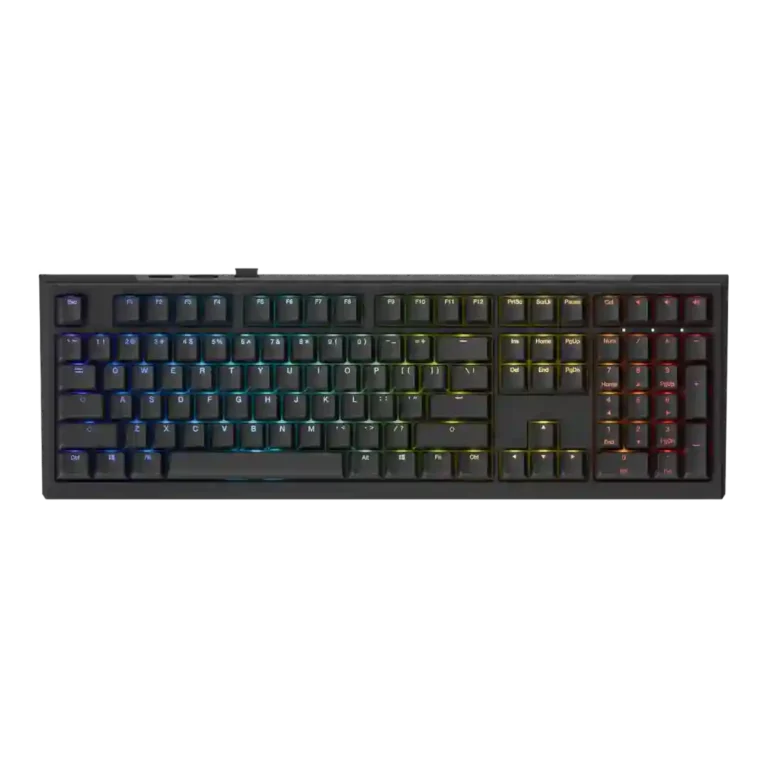
Best for 8K polling, magnetic-switch gaming control, premium build, and deep web customization. Skip it if you need broad switch compatibility, USB passthrough, a wrist rest, or a portable keyboard.
Pros: latency, polling rate
Cons: portability, switch options
Good if you want a premium full-size Hall Effect keyboard with smooth switches, strong gaming controls, and quiet acoustics. Skip it if you need a portable, budget, or broadly switch-compatible...
Pros: key stability, frame rigidity
Cons: portability, switch options
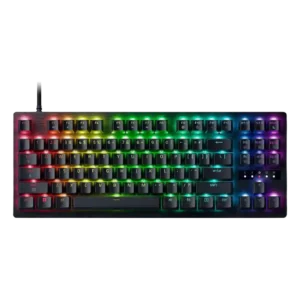
Best for a premium, quiet Hall Effect TKL with strong wireless, software, and gaming features. Skip it if price, switch flexibility, USB passthrough, or an included wrist rest matter most.
Pros: rapid trigger support, typing feel
Cons: switch options, portability
Best for a premium 96% metal keyboard with Hall Effect tuning, strong wireless, and excellent typing feel. Skip it for travel, bargain pricing, or maximum esports specs.
Pros: build quality, frame rigidity
Cons: portability, switch options