#1

Best for FPS
Highly rated
Side button quality is strong thanks to secure magnetic plates, tactile button feel, and low accidental-press concerns.
Pros: click latency, switch durability
Cons: handedness options, weight
#2

Best for FPS
Side buttons are usually described as easy to reach, tactile, crisp, and not overly easy to hit accidentally.
Pros: programmable buttons, Bluetooth support
Cons: handedness options, firmware reliability
#3

Best for FPS
Side-button quality is a recurring strength thanks to better spacing, easier identification, responsive feel, and reduced accidental presses.
Pros: click latency, 2.4GHz connectivity
Cons: Bluetooth support, dock compatibility
#4

Best for FPS
Side-button quality is one of the most consistent positives, with repeated praise for placement, tactility, and low travel.
Pros: drag click support, wireless latency
Cons: RGB features, tilt gesture controls
#5

Best for FPS
Strong consensus
Side button quality is mostly strong, with praise for access, spacing, size, and fast response, though one review found them mushier than the mains.
Pros: click latency, wireless latency
Cons: Bluetooth support, RGB features
#6

Best comfort
Side button quality was mostly praised for reachability, placement, and satisfying clicks.
Pros: click latency, connection stability
Cons: tilt gesture controls, software stability
#7
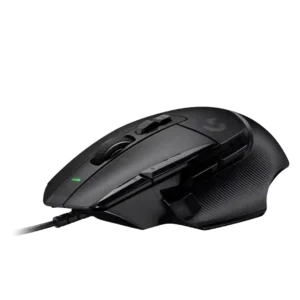
Best comfort
The side controls are a major strength, especially the sniper/DPI clutch, though reach can be harder for smaller hands.
Pros: charging convenience, Accuracy and tracking precision
Cons: weight tuning, RGB features
#8

Best battery life
Side-button quality is a highlight thanks to magnetic removable buttons, low wiggle, good positioning, and ambidextrous flexibility.
Pros: handedness options, DPI range
Cons: Bluetooth support, MMO gaming suitability
#9

Best battery life
Side-button evidence is strongly positive overall, with reviewers calling them easier to reach, premium, exceptional, or among Razer’s best.
Pros: acceleration control, wireless latency
Cons: debounce customization, RGB features
#10

Best for FPS
Side button quality is mostly praised as tactile, crisp, fast, or top-tier, though one review found the side buttons harsh.
Pros: balance and weight distribution, build quality
Cons: MMO gaming suitability, macro support
#11

Best for FPS
Side button quality is generally positive, with praise for placement, feel, and responsiveness, though the right-handed placement limits left-handed use.
Pros: weight, sensor performance
Cons: software stability, debounce customization
#12

Best for FPS
Side buttons are generally well placed and easy to press, with good tactile feedback and few accidental-press complaints.
Pros: balance and weight distribution, weight
Cons: tilt gesture controls, RGB features
#13

Best for FPS
Side buttons are generally seen as easy to reach and unusually good for a lightweight competitive mouse. Several reviews specifically praise their tactility or usability.
Pros: DPI range, click latency
Cons: Bluetooth support, dock compatibility
#14
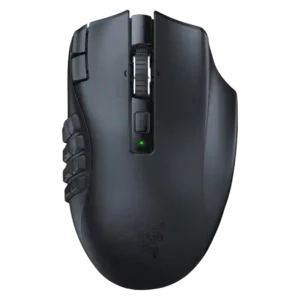
Best for FPS
Side-button feedback is broadly positive, with reviewers noting easy reach, mechanical switches, tactile feedback, and nice clicks, though learning curve remains a caveat.
Pros: Accuracy and tracking precision, DPI range
Cons: handedness options, fingertip grip comfort
#15

Best for FPS
Side button quality is strong. Reviewers praise the side buttons as well placed, separated, easy to find, firm, and low-mush, with several noting improved confidence during gameplay.
Pros: weight, FPS gaming suitability
Cons: Bluetooth support, RGB features
#16

Best for MMO
Side-button quality is mostly strong, with easy reach and good feel in several reviews, though one reviewer found some Easy-Shift combinations awkward.
Pros: MMO gaming suitability, onboard memory
Cons: dock compatibility, weight
#17

Best for FPS
Strong consensus
Side buttons were a recurring strength, often described as reachable, tactile, spacious, or well tensioned, with only one reviewer struggling with placement.
Pros: battery life, charging convenience
Cons: weight tuning, handedness options
#18

Best for FPS
Side button quality is generally positive, with reviewers praising placement, crispness, and easy access, though accidental presses are possible for some hands.
Pros: connection stability, 2.4GHz connectivity
Cons: handedness options, click noise
#19

Best for FPS
Side button quality is generally positive, with reviewers praising spacing, crispness, placement, and low accidental presses, though one notes they may feel small for long fingers.
Pros: polling rate, weight
Cons: onboard memory, tilt gesture controls
#20

Best for FPS
Side button quality is generally strong thanks to tactile feel, texturing, and adjustability, though learning curve and occasional mushiness/jitter are noted.
Pros: macro support, click latency
Cons: dock compatibility, firmware reliability
#21

Best for FPS
Side button quality was favorable where discussed, with reviewers noting easy placement, nice feel, or no quality issues.
Pros: click latency, cross-platform compatibility
Cons: weight tuning, handedness options
#22

Best for FPS
Side buttons were usually described as clicky, precise, easy to access, and better defined than the main clicks in one review.
Pros: polling rate, click latency
Cons: RGB features, handedness options
#23

Best for FPS
Side-button quality is generally strong thanks to accessible placement and satisfying feel, though a few reviewers report reach or misclick issues.
Pros: Accuracy and tracking precision, programmable buttons
Cons: weight tuning, firmware reliability
#24

Best for FPS
Side buttons are generally usable and tactile, with convenient placement in one review but right-side/left-hand limitations in another.
Pros: MMO gaming suitability, software stability
Cons: handedness options
#25

Best battery life
Side button quality is generally good for access and placement, though one reviewer wanted larger, more distinct D3 side buttons.
Pros: switch durability, DPI range
Cons: grip texture, portability
#26

Best comfort
Side button quality is generally positive, with reviewers praising access, resistance, minimal travel, and tactility despite limited left-side-only placement.
Pros: surface compatibility, sensor performance
Cons: tilt gesture controls, MOBA gaming suitability
#27

Best battery life
Strong consensus
Side buttons are usable and generally clear, but the left-only placement limits full ambidextrous use.
Pros: click latency, sensor performance
Cons: palm grip comfort, skate durability
#28

Best comfort
Side button quality is generally positive for placement and access, though one reviewer found them somewhat spongy.
Pros: DPI range, polling rate
Cons: wireless performance, Bluetooth support
#29

Best battery life
Side button quality is mostly positive, with praise for placement and firmness, but one reviewer found the implementation loud and cheap-feeling.
Pros: surface compatibility, switch durability
Cons: click noise, AI Prompt Master
#30

Best for FPS
Side button quality is useful and configurable, especially the reversible sniper/DPI button, but several reviewers report accidental presses or squeaks.
Pros: DPI range, materials quality
Cons: Bluetooth support, weight tuning
#31

Best for FPS
Side button quality is mixed: several reviews praise the larger, easier-to-find buttons, while others find them too long or easy to hit accidentally.
Pros: connection stability, wireless latency
Cons: MMO gaming suitability, fingertip grip comfort
#32

Best for FPS
Side button quality is mixed but mostly positive, with praise for feel and placement balanced by complaints about cheap-feeling plastic and narrowness.
Pros: wireless latency, connection stability
Cons: palm grip comfort, software stability
#33

Best for FPS
Side button quality is one of the most divided areas. Some reviews praise tactility and implementation, while others find the buttons too small, too far forward, loud, or less accessible.
Pros: Accuracy and tracking precision, click latency
Cons: value for money, software stability
#34

Best for FPS
Side-button quality is useful but uneven because modular controls help while reach and accidental presses bother some reviewers.
Pros: acceleration control, long-session comfort
Cons: Bluetooth support, weight tuning
#35
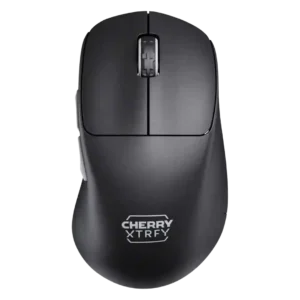
Best comfort
Side-button quality is split: some reviewers praised their size and crispness, while others found the M64's side buttons mushy.
Pros: weight, Accuracy and tracking precision
Cons: RGB features, button customization
#36

Best for MMO
Side button quality is mostly good for right-handed users, though some reviewers found them soft, mushy, or poorly placed for left-handed use.
Pros: motion consistency, dock compatibility
Cons: tilt gesture controls, RGB features
#37

Best for FPS
Side button quality is mixed: placement is often praised, but some reviewers wanted more protrusion or less slick/recessed buttons.
Pros: click latency, wireless latency
Cons: weight tuning, skate durability
#38

Best for FPS
Side button quality is one of the more mixed areas, with praise for crispness and placement offset by repeated complaints about small size, stiffness, or high placement.
Pros: DPI range, weight
Cons: debounce customization, handedness options
#39
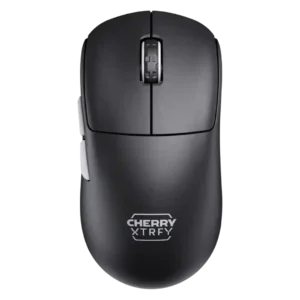
Best for FPS
Side button quality is mostly usable and better on the M68 than M64 in one review, though some reviewers still wanted less travel.
Pros: Accuracy and tracking precision, wireless latency
Cons: tilt gesture controls, RGB features
#40
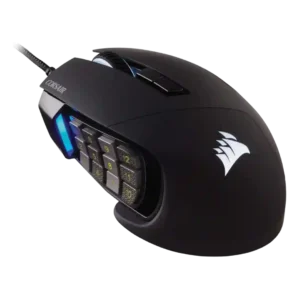
Best for FPS
Side buttons were the defining strength but also the main learning curve, with praise for texture and feel alongside complaints about crowding, reach, or accidental presses.
Pros: programmable buttons, build quality
Cons: handedness options, tilt gesture controls
#41

Best battery life
Side buttons are generally useful and responsive, but some reviewers found the smaller layout easier to mis-click or harder to reach.
Pros: switch durability, wireless performance
Cons: click noise, RGB features
#42

Best for FPS
Side button quality is mixed: some reviewers liked or accepted them, while GamesRadar found them underwhelming.
Pros: switch durability, connection stability
Cons: MOBA gaming suitability, MMO gaming suitability
#43

Best for FPS
Side button quality is mixed: some reviews found them accessible and useful, while others said they felt thin, less distinct, or less premium.
Pros: connection stability, value for money
Cons: Bluetooth support, 2.4GHz connectivity
#44

Best for FPS
Side button quality is the most divisive area: some find the buttons well placed and tactile, while others find them cramped, stiff, or hard to distinguish.
Pros: programmable buttons, MOBA gaming suitability
Cons: dock compatibility, handedness options
#45
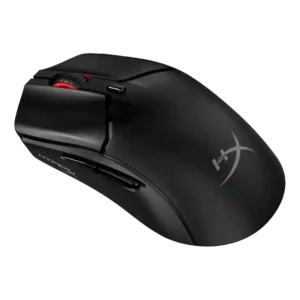
Best battery life
Side button quality was mixed, from well-positioned or responsive to spongy or affected by post-travel.
Pros: DPI range, cable flexibility
Cons: software stability, firmware reliability
#46

Best for FPS
Side button quality is mixed: customization is useful, but placement, slickness, pre-travel, or crowding bother some reviewers.
Pros: DPI range, cross-platform compatibility
Cons: tilt gesture controls, battery life
#47

Best for FPS
Side button quality is mixed. Several reviews found the side buttons reachable or tactile, while others described them as small, centered awkwardly, or slightly mushy.
Pros: weight, sensor performance
Cons: MMO gaming suitability, software stability
#48
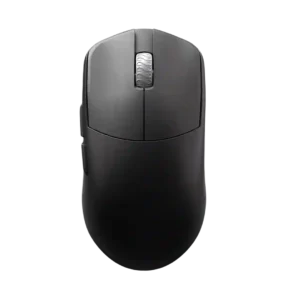
Best battery life
Side button quality is the most divisive button-related area, ranging from nearly perfect to stiff, mushy, or too much post-travel.
Pros: Accuracy and tracking precision, sensor performance
Cons: cable flexibility
#49
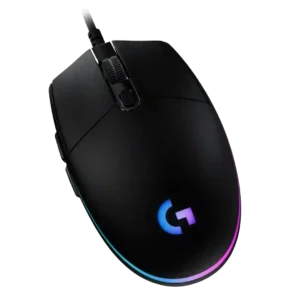
Best for FPS
Side button quality is mixed: reviewers liked accessibility and click feel, but several complained that the buttons are small, thin, or mushy.
Pros: motion consistency, connection stability
Cons: weight tuning, 2.4GHz connectivity
#50

Best for FPS
Side button quality is mixed. Some reviewers find the side buttons tactile and usable, while others call them traditional, mushy, or underdeveloped next to the new main clicks.
Pros: DPI range, wireless latency
Cons: RGB features, Bluetooth support