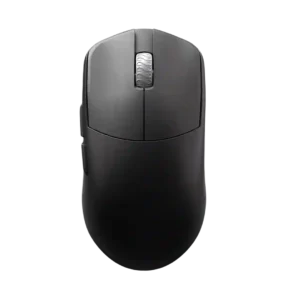
Best battery life
Macro support is available through software, with reviews mentioning macro recording or macro controls.
Pros: Accuracy and tracking precision, sensor performance
Cons: cable flexibility
Macro support is available through software, with reviews mentioning macro recording or macro controls.
Pros: Accuracy and tracking precision, sensor performance
Cons: cable flexibility

Macro support is strong through Synapse, Hypershift, and software macro recording or full macro functionality.
Pros: programmable buttons, Bluetooth support
Cons: handedness options, firmware reliability

Macro support is a core strength, with reviewers using iCUE, Stream Deck, and onboard profiles for shortcuts, game actions, and productivity commands.
Pros: macro support, click latency
Cons: dock compatibility, firmware reliability

Macro support is supported through G Hub’s macro tool. The evidence is positive but mostly from one detailed software review.
Pros: connection stability, cross-platform compatibility
Cons: Bluetooth support, RGB features

Macro support is strong, with reviewers mapping rotations, shortcuts, key strokes, macros, and game commands through Synapse.
Pros: click latency, motion consistency
Cons: handedness options, weight

Macro support appears in Armoury Crate evidence, where reviewers note macros can be assigned to buttons.
Pros: click latency, connection stability
Cons: tilt gesture controls, software stability

Macro support is clearly present through G Hub, with per-program macros and customizable button assignments.
Pros: acceleration control, long-session comfort
Cons: Bluetooth support, weight tuning

Macro support is a standout strength, repeatedly supported by reviews that map commands, creative shortcuts, and multi-step macros to the side buttons.
Pros: programmable buttons, MOBA gaming suitability
Cons: dock compatibility, handedness options

Macro support is well supported through GG software, with reviewers mentioning macro editors, macro assignment, and game or productivity shortcuts.
Pros: Accuracy and tracking precision, motion consistency
Cons: debounce customization, tilt gesture controls
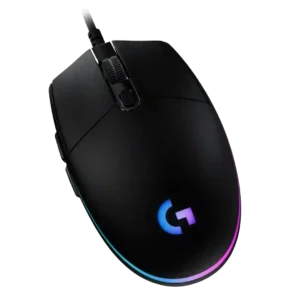
Macro support is strong for a budget mouse because G Hub allows macros and commands across the six programmable controls.
Pros: motion consistency, connection stability
Cons: weight tuning, 2.4GHz connectivity

Macro support is well supported by reviews that mention creating macros, shortcuts, and custom commands through the software.
Pros: Accuracy and tracking precision, programmable buttons
Cons: weight tuning, firmware reliability
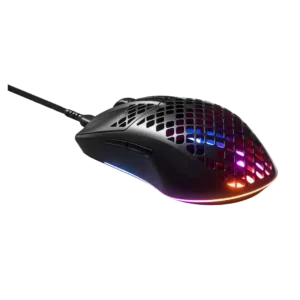
Macro support is supported by software-focused reviews that mention macro programming through SteelSeries software.
Pros: click latency, switch durability
Cons: onboard memory, palm grip comfort

Macro creation is explicitly supported in Synapse, though only one review discussed it directly in detail.
Pros: switch durability, wireless performance
Cons: click noise, RGB features

One review explicitly says Synapse is where users create macros. Macro support exists, but it is not a major focus of most reviews.
Pros: DPI range, click latency
Cons: Bluetooth support, dock compatibility
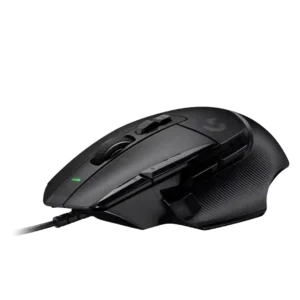
Macro support is well supported by reviews that mention assigning macros or quick-access functions to the mouse buttons.
Pros: charging convenience, Accuracy and tracking precision
Cons: weight tuning, RGB features
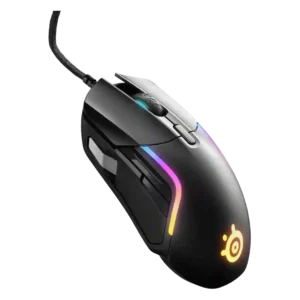
Macro support is well covered, with reviewers praising macro creation, assignment and reliable macro playback in SteelSeries GG or Engine.
Pros: switch durability, surface compatibility
Cons: weight tuning, skate durability

Macro support is strong across reviews, with G Hub and assignments enabling macros for gaming, productivity, and app-specific workflows.
Pros: DPI range, materials quality
Cons: Bluetooth support, weight tuning

Macro support is well covered, with multiple reviewers noting macro adjustment, Easy Shift layers, and programmable commands.
Pros: balance and weight distribution, weight
Cons: tilt gesture controls, RGB features

Macro support is clearly available through iCUE, with reviews noting macro creation and command assignment options.
Pros: motion consistency, connection stability
Cons: tilt gesture controls, water and dust resistance
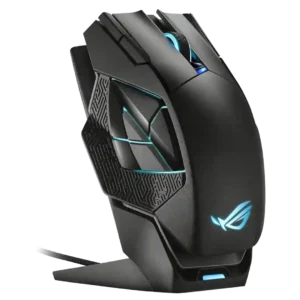
Macro support is present through the software, which reviewers note can record and assign macros.
Pros: DPI range, motion consistency
Cons: fingertip grip comfort, cross-platform compatibility

Macro support is present through Glorious Core, including a built-in recorder and remappable functions.
Pros: DPI range, cross-platform compatibility
Cons: tilt gesture controls, battery life

Macro support is clearly present through Swarm II and Easy-Shift, with reviewers noting macro creation, imported macros, and MMO-oriented macro use.
Pros: MMO gaming suitability, onboard memory
Cons: dock compatibility, weight

Macro support is confirmed through NGENUITY, with reviewers specifically mentioning macro assignment and side-button use.
Pros: wireless latency, connection stability
Cons: palm grip comfort, software stability

Macro support is available through Synapse, including button remapping and custom macros across the mouse's controls.
Pros: surface compatibility, switch durability
Cons: click noise, AI Prompt Master

Macro support exists through GG and game profiles, but evidence is mostly from video reviewers describing custom macros rather than deep MMO-style macro use.
Pros: connection stability, wireless latency
Cons: MMO gaming suitability, fingertip grip comfort

Macro support is available through SteelSeries GG and is repeatedly described as easy or powerful.
Pros: battery life, weight tuning
Cons: RGB features, lift-off distance

Macro support is supported by reviewers who specifically mention assigning macros and mapping commands to joystick directions or productivity actions.
Pros: polling rate, charging convenience
Cons: software stability, firmware reliability

Macro support is consistently available through NZXT CAM, though the small button count limits how many macros are practical.
Pros: DPI range, polling rate
Cons: wireless performance, Bluetooth support

Macro and extra command support is present through dock and button customization, including app launching and media-style commands.
Pros: switch durability, DPI range
Cons: grip texture, portability

Macro support is present through Armoury Crate, which reviewers specifically mention alongside button mapping and profiles.
Pros: click latency, sensor performance
Cons: palm grip comfort, skate durability

Macro support is clearly present through iCUE remapping, custom macros, app commands, media controls, and productivity/game assignments.
Pros: sensor performance, programmable buttons
Cons: handedness options, cable flexibility

Macro support is well covered through Armoury Crate and Gear Link, including macro recording and button-layer functions.
Pros: MMO gaming suitability, software stability
Cons: handedness options

Macro support is well supported through Swarm II, Easy-Shift, game-specific macro options, and productivity-focused examples.
Pros: connection stability, 2.4GHz connectivity
Cons: handedness options, click noise

Macro support was supported across multiple reviews through G Hub command, macro, and function assignment.
Pros: click latency, cross-platform compatibility
Cons: weight tuning, handedness options
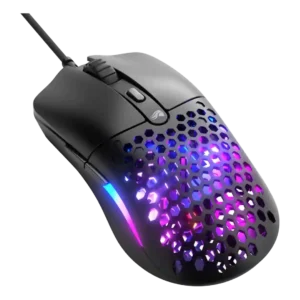
Macro support is present in Glorious Core, with reviewers describing macro assignment through the key-mapping tools.
Pros: value for money, switch durability
Cons: wireless latency, Bluetooth support

Macro support appears in software-focused reviews, which describe macro activation or macros in Armoury Crate. The evidence confirms support but does not emphasize advanced macro workflows.
Pros: weight, sensor performance
Cons: MMO gaming suitability, software stability
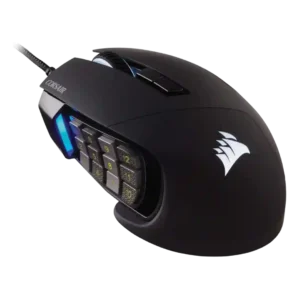
Macro support is excellent overall because of the 12-button keypad and iCUE actions, though one older review notes macro limitations with mouse commands.
Pros: build quality, motion consistency
Cons: handedness options, tilt gesture controls

Macro support was repeatedly confirmed in Swarm II, Easy Shift, and preset game macro discussions.
Pros: polling rate, click latency
Cons: RGB features, handedness options
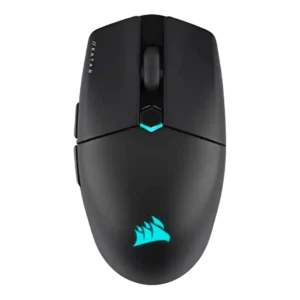
Macro support is well supported in iCUE, with several reviews noting game-specific macros, key assignments, and app-launch actions.
Pros: balance and weight distribution, software stability
Cons: MMO gaming suitability, durability over time
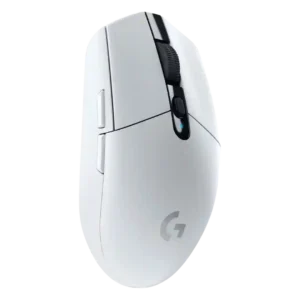
Macro support is available through Logitech software, including assigning macros to buttons in G Hub or LGS.
Pros: wireless latency, motion consistency
Cons: Bluetooth support, charging convenience

Macro support is present in software, and reviews confirm that users can create and store macros despite the mouse’s minimalist design.
Pros: polling rate, weight
Cons: RGB features, Bluetooth support
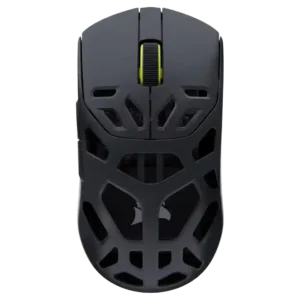
Macro support is available through Web Hub, though one review notes complex macro scripting may be less deep than classic software.
Pros: Accuracy and tracking precision, build quality
Cons: RGB features, debounce customization

Macro support is available through G Hub and cited directly by multiple reviews.
Pros: motion consistency, dock compatibility
Cons: tilt gesture controls, RGB features

Macro support exists through Armoury Crate, but it is not a headline strength and onboard macro behavior is more limited.
Pros: DPI range, weight
Cons: debounce customization, handedness options

Macro support exists through iCUE key assignments, but the limited number of buttons reduces its practical depth.
Pros: click latency, wireless latency
Cons: weight tuning, skate durability

Macro support evidence is limited but present through Razer HyperShift, which adds a second layer of programming.
Pros: acceleration control, wireless latency
Cons: debounce customization, RGB features

Macro support is available through SteelSeries GG for the side buttons, giving the budget mouse useful extra flexibility.
Pros: connection stability, value for money
Cons: Bluetooth support, 2.4GHz connectivity
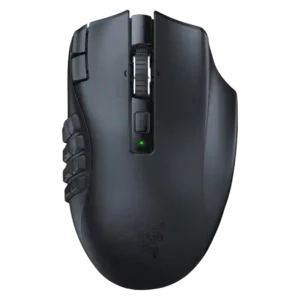
Macro support is well supported for MMO and productivity use, though one productivity-focused review found more complex action sequences limited.
Pros: Accuracy and tracking precision, DPI range
Cons: handedness options, fingertip grip comfort
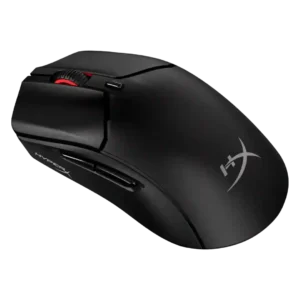
Macro support is available through NGENUITY, including a recorder or assignment options, though not every review used it deeply.
Pros: DPI range, switch durability
Cons: software stability, onboard memory

Macro support is supported through G Hub assignment options, though it is not a main focus of the reviews.
Pros: handedness options, DPI range
Cons: Bluetooth support, MMO gaming suitability