#1

Best for FPS
Highly rated
The interchangeable two-, six-, and 12-button side plates are one of the product's most consistently praised features.
Pros: click latency, switch durability
Cons: handedness options, weight
#2

Best for FPS
Highly rated
Button customization is extensive, including remapping, Hypershift, secondary functions, and user-defined actions.
Pros: programmable buttons, Bluetooth support
Cons: handedness options, firmware reliability
#3

Best battery life
Button customization is strong across the mouse and dock, with reviewers praising remapping options in Glorious Core.
Pros: switch durability, DPI range
Cons: grip texture, portability
#4
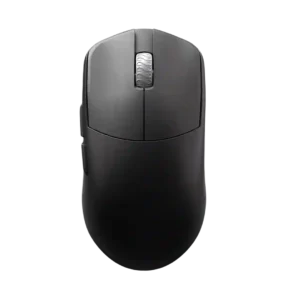
Best battery life
Button customization is well supported through web or companion software, including button mapping and performance settings.
Pros: Accuracy and tracking precision, sensor performance
Cons: cable flexibility
#5

Best for FPS
Highly rated
Customization is a major selling point, with remappable buttons, Stream Deck actions, DPI changes, RGB, and profile-based layouts repeatedly mentioned.
Pros: macro support, click latency
Cons: dock compatibility, firmware reliability
#6

Best for FPS
Button customization is one of the defining strengths. Reviews emphasize adjustable actuation, haptic feedback strength, rapid trigger behavior, independent left/right tuning, remapping, and G Hub configuration.
Pros: DPI range, wireless latency
Cons: RGB features, Bluetooth support
#7

Best for FPS
Button customization is a clear strength because Swarm, Easy-Shift, and remapping support deep game and productivity setups.
Pros: Accuracy and tracking precision, programmable buttons
Cons: weight tuning, firmware reliability
#8

Best for FPS
Button customization is strong because reviewers describe reassignment and customization of the full button set through SteelSeries software.
Pros: Accuracy and tracking precision, motion consistency
Cons: debounce customization, tilt gesture controls
#9

Best for FPS
Button customization is one of the strongest recurring themes, with Easy-Shift, remapping, hotkeys, macros, and expanded commands mentioned across nearly every review.
Pros: connection stability, 2.4GHz connectivity
Cons: handedness options, click noise
#10
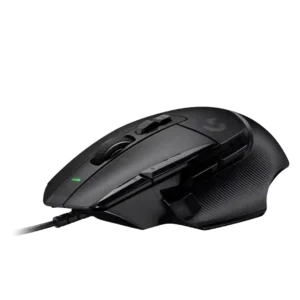
Best comfort
Button customization is highly praised thanks to remappable inputs, reversible or removable thumb controls, and software assignments.
Pros: charging convenience, Accuracy and tracking precision
Cons: weight tuning, RGB features
#11

Best comfort
Button customization was widely supported through Armoury Crate, with reviewers noting remapping, DPI changes, and full button configurability.
Pros: click latency, connection stability
Cons: tilt gesture controls, software stability
#12

Best for FPS
Customization is one of the clearest strengths, with reviewers repeatedly noting remappable buttons, macros, profiles, and broad control over commands.
Pros: programmable buttons, MOBA gaming suitability
Cons: dock compatibility, handedness options
#13
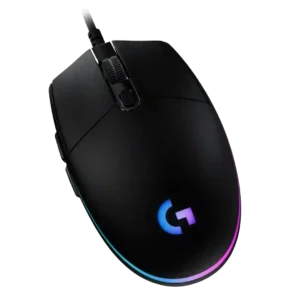
Best for FPS
Button customization is a major strength because G Hub lets reviewers remap buttons, assign actions, use shortcuts, and tailor controls by profile.
Pros: motion consistency, connection stability
Cons: weight tuning, 2.4GHz connectivity
#14

Best for MMO
Button customization is widely supported through Easy-Shift, remapping, secondary commands, and software customization, making the mouse adaptable across games and productivity.
Pros: MMO gaming suitability, onboard memory
Cons: dock compatibility, weight
#15

Best for FPS
Synapse and Synapse Web are repeatedly cited for remapping and control over the available buttons. Reviewers present customization as thorough rather than bare-bones.
Pros: DPI range, click latency
Cons: Bluetooth support, dock compatibility
#16
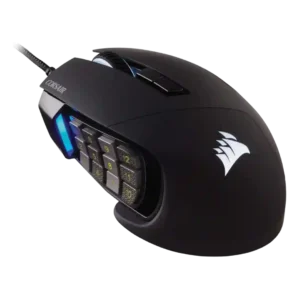
Best for FPS
Button customization was a major strength, especially the movable side keypad and broad remapping options through Corsair software.
Pros: programmable buttons, build quality
Cons: handedness options, tilt gesture controls
#17
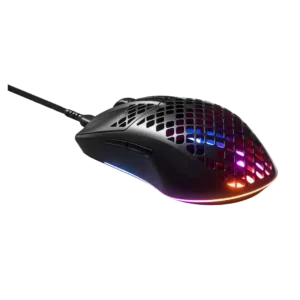
Best comfort
Customization evidence is positive where discussed, with reviewers noting software control over button functions, DPI, macros, and lighting.
Pros: click latency, switch durability
Cons: onboard memory, palm grip comfort
#18

Best battery life
Strong consensus
Button customization is well supported through Armoury Crate and onboard controls, including remapping, functions, and profiles.
Pros: click latency, sensor performance
Cons: palm grip comfort, skate durability
#19

Best battery life
Button customization is a standout thanks to swappable magnetic side buttons, remapping, and G Hub assignment options.
Pros: handedness options, DPI range
Cons: Bluetooth support, MMO gaming suitability
#20

Best for FPS
Button customization is supported through GG, with reviewers highlighting remapping, configurable side buttons, and DPI-related customization.
Pros: connection stability, wireless latency
Cons: MMO gaming suitability, fingertip grip comfort
#21

Best battery life
Button customization is a clear strength through Synapse remapping, command assignment, AI-button reassignment, and profile-level controls.
Pros: surface compatibility, switch durability
Cons: click noise, AI Prompt Master
#22

Best for FPS
Button customization is one of the strongest themes, driven by hot-swappable switches, remapping, macros, and software controls.
Pros: MMO gaming suitability, software stability
Cons: handedness options
#23

Best for FPS
Button and performance customization are well supported through Armoury Crate Gear, Armoury Crate, and hardware controls. Reviewers cite remapping, DPI, polling, lift-off, lighting, and related adjustments.
Pros: Accuracy and tracking precision, click latency
Cons: value for money, software stability
#24
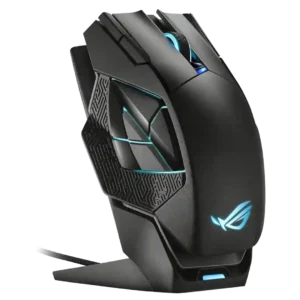
Best for FPS
Armoury Crate repeatedly comes up as the way to remap buttons for both gaming and productivity tasks.
Pros: DPI range, motion consistency
Cons: fingertip grip comfort, cross-platform compatibility
#25

Best wireless
Button customization is well supported through Synapse, including remapping buttons, DPI controls, and other mouse functions.
Pros: switch durability, click latency
Cons: wireless performance, wireless latency
#26

Best for FPS
Button customization is well supported through Gear Link, with reviewers noting adjustable assignments, DPI, lighting, and performance settings from the web interface.
Pros: polling rate, weight
Cons: onboard memory, tilt gesture controls
#27

Best for MMO
Button customization is a core strength, with iCUE used for remapping buttons, gestures, macros, lighting, DPI, and profiles.
Pros: sensor performance, programmable buttons
Cons: handedness options, cable flexibility
#28

Best for FPS
Customization is a major theme, covering swappable switches, software settings, button placement, remapping, and hardware modding.
Pros: balance and weight distribution, build quality
Cons: MMO gaming suitability, macro support
#29

Best battery life
Customization is a major plus, with repeated support for remapping controls and tailoring behavior through Synapse.
Pros: switch durability, wireless performance
Cons: click noise, RGB features
#30

Best for FPS
Button customization is strong through G Hub. Reviews mention remapping all buttons and assigning one of the five buttons to DPI or other functions, though the lack of a dedicated...
Pros: connection stability, cross-platform compatibility
Cons: Bluetooth support, RGB features
#31

Best for FPS
Button customization is strong through Swarm II, including button mapping, custom assignments, and remapping options across profiles.
Pros: balance and weight distribution, weight
Cons: tilt gesture controls, RGB features
#32

Best for FPS
Button customization was a clear strength through Swarm II remapping and keybinding tools, though one review noted the DPI button limitation.
Pros: polling rate, click latency
Cons: RGB features, handedness options
#33

Best for FPS
Button customization is a major strength, with swappable thumb buttons, layer functions, and easy remapping highlighted often.
Pros: DPI range, cross-platform compatibility
Cons: tilt gesture controls, battery life
#34

Best for FPS
Button customization is strong, with remapping, reversible controls, DPI adjustments, and game assignments highlighted.
Pros: acceleration control, long-session comfort
Cons: Bluetooth support, weight tuning
#35

Best comfort
Button customization is strong through NZXT CAM, which supports remapping and macro assignment for the available buttons.
Pros: DPI range, polling rate
Cons: wireless performance, Bluetooth support
#36
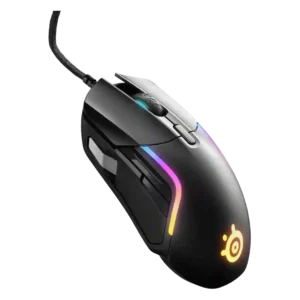
Best for FPS
Button customization is strong through SteelSeries software, with remapping, shortcuts and templates, though physical side-button usability varies.
Pros: switch durability, surface compatibility
Cons: weight tuning, skate durability
#37

Best for FPS
Strong consensus
Button customization is good through Synapse, with reviewers mentioning rebinding, DPI controls, lift-off settings, and profile-related options.
Pros: click latency, wireless latency
Cons: Bluetooth support, RGB features
#38

Best for MMO
Customization is a major strength thanks to swappable side buttons, remappable controls, handedness modes, and software-based assignments.
Pros: motion consistency, connection stability
Cons: tilt gesture controls, water and dust resistance
#39

Best for FPS
Button customization is extensive through Armoury Crate, including remaps, joystick modes, DPI controls, and profile-specific mapping.
Pros: polling rate, charging convenience
Cons: software stability, firmware reliability
#40

Best for FPS
Button and control customization is broadly supported through Armoury Crate or Armoury Crate Gear, with reviewers citing remapping, DPI controls, RGB settings, profiles, and other tuning options.
Pros: weight, sensor performance
Cons: software stability, debounce customization
#41
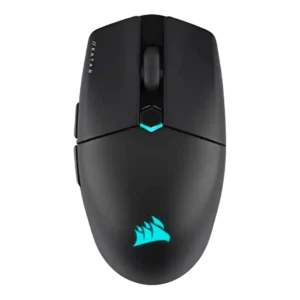
Best for FPS
Button customization is strong through iCUE, with reviewers noting remapping controls, key assignments, and adjustable settings.
Pros: balance and weight distribution, software stability
Cons: MMO gaming suitability, durability over time
#42

Best for FPS
Button customization is strong, with reviewers confirming reprogrammable buttons, configurable clickers, and software assignment options.
Pros: switch durability, connection stability
Cons: MOBA gaming suitability, MMO gaming suitability
#43
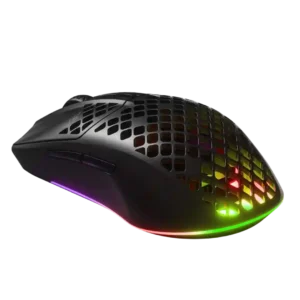
Best for FPS
Button-customization evidence is strong, with reviews noting custom buttons, reprogramming, sensitivity controls, or companion-app adjustments.
Pros: motion consistency, ergonomic design
Cons: firmware reliability, dock compatibility
#44

Best for FPS
Button reassignment is supported in software, and reviewers found basic remapping straightforward even if the software is minimal.
Pros: drag click support, wireless latency
Cons: RGB features, tilt gesture controls
#45

Best for FPS
Button customization is well supported through SteelSeries GG, including remapping, DPI controls, and other settings.
Pros: battery life, weight tuning
Cons: RGB features, lift-off distance
#46

Best comfort
Button customization is a major strength through Synapse, with reviewers noting remapping, extra functions, profiles, and secondary-function options.
Pros: surface compatibility, sensor performance
Cons: tilt gesture controls, MOBA gaming suitability
#47
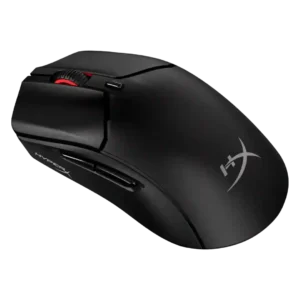
Best for FPS
Button remapping is broadly available through NGENUITY, with several reviewers praising straightforward assignments while noting limits on premium-level control.
Pros: DPI range, switch durability
Cons: software stability, onboard memory
#48
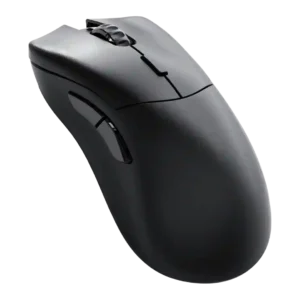
Best for FPS
Button customization is strong through Glorious Core, with remapping, DPI controls, key bindings, and other options available for the six buttons.
Pros: click latency, sensor performance
Cons: Bluetooth support, RGB features
#49
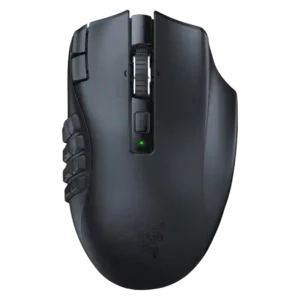
Best for FPS
Customization is a core strength across reviews, especially through Synapse remapping, programmable buttons, hotkeys, and keybind changes.
Pros: Accuracy and tracking precision, DPI range
Cons: handedness options, fingertip grip comfort
#50

Best battery life
Button customization is supported through Synapse remapping, button mapping, customized DPI-button behavior, and programmable key controls.
Pros: acceleration control, wireless latency
Cons: debounce customization, RGB features