Best for left and right click quality
Turtle Beach Kone II
5.0 feature score
Highest scored product for this feature based on supporting review evidence.
Highest scored product for this feature based on supporting review evidence.
Balances feature score, supporting reviews, and overall product strength.
Has the broadest review evidence for this feature.
Strongest overall product among items with scored evidence for this feature.

The main left and right clicks were well received for uniform feel, snappy action, and excellent responsiveness.
Pros: click latency, motion consistency
Cons: handedness options, portability

Left and right click quality is a standout when tuned, with reviewers praising consistent actuation and feedback across the main buttons.
Pros: left and right click quality, dock compatibility
Cons: Bluetooth support, cross-platform compatibility

Left and right clicks were strongly praised for feeling perfect, balanced, fast, and responsive.
Pros: left and right click quality, software stability
Cons: polling rate, cross-platform compatibility

Left and right click quality was strongly praised for tactile, satisfying, crisp, or solid main clicks, with only minor preference-based caveats.
Pros: click latency, motion consistency
Cons: handedness options, Bluetooth support

Left and right clicks were praised for satisfying tactility, light rapid tapping, and improved main-button feel.
Pros: macro support, fingertip grip comfort
Cons: weight tuning, cable flexibility

Primary click quality was praised as firm, balanced, and close to best-in-class for feel and performance.
Pros: connection stability, left and right click quality
Cons: palm grip comfort, profile switching
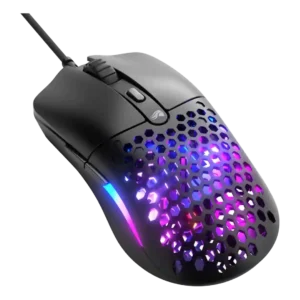
Left and right click quality was a standout, with reviewers praising main clicks as loved, responsive, precise, and tight.
Pros: value for money, click latency
Cons: water and dust resistance, cable flexibility
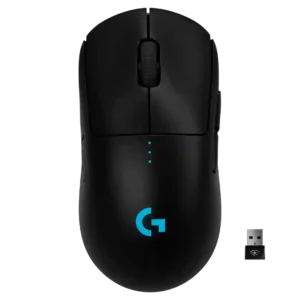
Left and right click quality was a standout strength, often described as crisp, satisfying, light, and precise.
Pros: polling rate, motion consistency
Cons: MOBA gaming suitability, durability over time

Left and right click quality was mostly praised for crispness, feedback, and satisfying actuation, with one review finding the feel a little mushy.
Pros: click latency, macro support
Cons: firmware reliability, tilt gesture controls
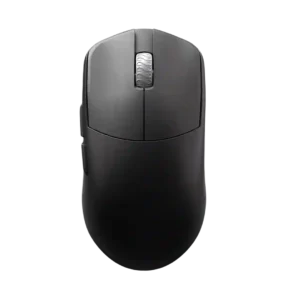
Left and right click quality is strongly praised for clean implementation, bounce, lightness, and a close-to-perfect feel.
Pros: DPI range, balance and weight distribution
Cons: charging convenience, click noise
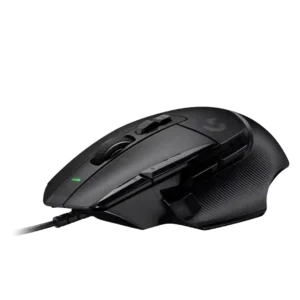
Left and right click quality scored well where discussed, with reviewers describing the new clickers as solid, finely crafted, and satisfying.
Pros: Accuracy and tracking precision, click latency
Cons: claw grip comfort, portability

Left and right click quality is a clear strength, with reviewers praising softness, precision, tactile response, and nice PBT click feel.
Pros: motion consistency, Accuracy and tracking precision
Cons: cable flexibility, palm grip comfort

Left and right click quality is a clear strength, with multiple reviews calling the main clicks wonderful, snappy, responsive, and tactile.
Pros: long-session comfort, sensor performance
Cons: handedness options, software stability

Primary clicks were praised for speed, low travel, tactility, and reduced misclick risk, with several reviewers preferring their feel to rivals.
Pros: click latency, balance and weight distribution
Cons: 2.4GHz connectivity, software stability

Primary click quality was generally excellent, though one review found the left click less bouncy than preferred.
Pros: balance and weight distribution, build quality
Cons: dock compatibility, Bluetooth support

Main click quality was usually strong, with repeated praise for tactile, crisp, snappy clicks, though a few reviewers wanted a sharper or more premium feel.
Pros: motion consistency, acceleration control
Cons: cable flexibility, cross-platform compatibility

Main click quality was generally strong, with praise for tactile feedback, satisfying actuation, and minimal travel, though one review sample had uneven pre-travel.
Pros: weight, balance and weight distribution
Cons: water and dust resistance, RGB features

Main click quality was generally strong: reviewers liked the front buttons' responsiveness, satisfying feel, and snappy actuation.
Pros: click latency, onboard memory
Cons: lift-off distance, debounce customization
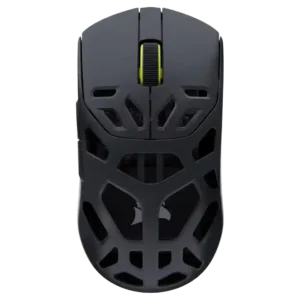
Left and right click quality was consistently praised for crisp feedback, satisfying travel, solid snap, and spammable feel.
Pros: Accuracy and tracking precision, click latency
Cons: cable flexibility, ecosystem integration

Left and right clicks were reviewed positively for their split-shell design, feel, and low travel.
Pros: skate durability, cross-platform compatibility
Cons: handedness options, click noise

Left and right clicks were generally praised for crisp, consistent actuation, though one reviewer noticed slight pre-travel that did not interfere.
Pros: FPS gaming suitability, weight
Cons: fingertip grip comfort, handedness options
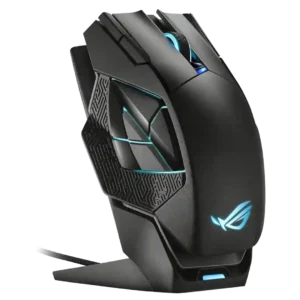
Left and right click quality was positive where reviewed, with praise for satisfying primary buttons and good clicking action.
Pros: motion consistency, 2.4GHz connectivity
Cons: fingertip grip comfort, cross-platform compatibility

Left and right click quality was praised for crispness, responsiveness, and strong tactile feel.
Pros: motion consistency, connection stability
Cons: weight tuning, fingertip grip comfort
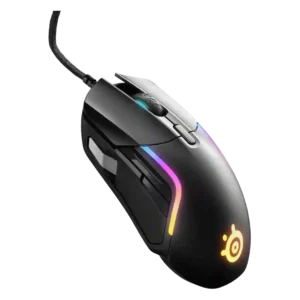
Left and right clicks were praised for a deep, tactile, well-weighted feel with good actuation force.
Pros: switch durability, surface compatibility
Cons: weight tuning, portability
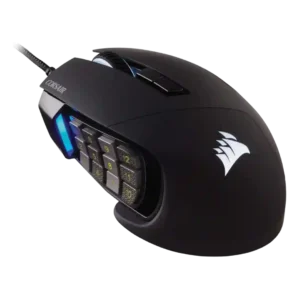
Left and right click quality evidence was limited but positive, with reviewers finding the main clicks smooth and non-janky.
Pros: button responsiveness, long-session comfort
Cons: handedness options, switch durability

Main click quality was praised as satisfying, with a good amount of give.
Pros: sensor performance, click latency
Cons: software stability, Bluetooth support

Main click quality was praised by reviewers who found the left/right clicks satisfying, solid, and consistent.
Pros: click latency, motion consistency
Cons: palm grip comfort, fingertip grip comfort
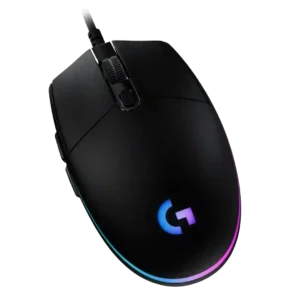
Left and right click quality is a major positive, with reviewers praising sharpness, feedback, reliability, tactile snap, and even improved in-game firing feel.
Pros: acceleration control, dock compatibility
Cons: portability, onboard memory

Primary clicks were usually praised as snappy, responsive, tactile, bouncy, or satisfying for the price.
Pros: build quality, ergonomic design
Cons: handedness options, RGB features

Left and right click quality was generally strong for low play and instant feel, but one reviewer noted post-travel.
Pros: motion consistency, surface compatibility
Cons: handedness options, software stability

Left/right click quality was praised for light actuation, tactile feel, and easy clicking.
Pros: 2.4GHz connectivity, connection stability
Cons: cable flexibility, handedness options

Left and right click quality had limited but positive evidence from a reviewer who liked the click implementation.
Pros: cable flexibility, weight
Cons: software stability, handedness options

Left and right click quality was mostly strong, but one early unit had main-trigger rattle, creating a mild build-related caveat.
Pros: acceleration control, wireless latency
Cons: onboard memory, MMO gaming suitability

Left and right click quality was positive overall, with praise for satisfying primary clicks and pleasant pressure points.
Pros: Accuracy and tracking precision, motion consistency
Cons: handedness options, lift-off distance

Left and right click quality was mostly positive for crisp, responsive clicks, with some caveats around hollow sound.
Pros: Accuracy and tracking precision, sensor performance
Cons: onboard memory, handedness options
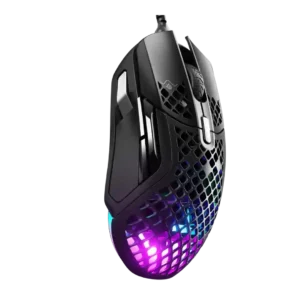
Left and right clicks were praised for crispness, tactile feedback, and satisfying feel.
Pros: glide smoothness, click latency
Cons: handedness options, DPI range

Left and right clicks were mostly praised for clickiness, precision, and tactility, though one reviewer struggled with the button shape.
Pros: ecosystem integration, sensor performance
Cons: AI Prompt Master, durability over time

Left and right clicks were often praised for crispness and solidity, though a few units or grip positions felt mushy or merely average.
Pros: motion consistency, wireless latency
Cons: handedness options, onboard memory
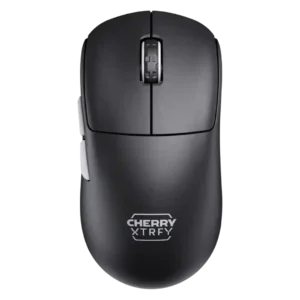
Left and right clicks were generally solid, easy, and satisfying, though one reviewer noted the M68 felt a little stiffer than the M64.
Pros: 2.4GHz connectivity, long-session comfort
Cons: programmable buttons, button customization

Main click quality was generally positive for tactility, though one reviewer found the switches slightly stiff.
Pros: button responsiveness, cable flexibility
Cons: firmware reliability, MMO gaming suitability

Left and right click quality was generally praised, though one reviewer found some crunchiness in the primary click movement.
Pros: motion consistency, surface compatibility
Cons: onboard memory, handedness options

Left and right click quality was viewed as consistent and quality-feeling.
Pros: glide smoothness, sensor performance
Cons: grip texture, firmware reliability

Left and right click quality was mostly positive, with praise for consistency and similar actuation between sides.
Pros: connection stability, weight
Cons: handedness options, software usability

Main click quality was mostly positive, especially the light break and rapid reset, though one unit had a slightly heavier right button.
Pros: motion consistency, wireless latency
Cons: palm grip comfort, software stability

Main left and right click quality was generally positive, with rapid clicking and spring-tension precision outweighing the slightly heavier press.
Pros: click latency, motion consistency
Cons: software stability, cross-platform compatibility

Main click quality was generally positive for speed and confidence, but one reviewer preferred competing click implementations.
Pros: motion consistency, sensor performance
Cons: software stability, MMO gaming suitability

Main click quality was mixed: several reviewers liked the left and right clicks, while one found them floaty with too much movement.
Pros: Accuracy and tracking precision, sensor performance
Cons: handedness options, tilt gesture controls

Main click quality ranged from exceptional praise to isolated complaints about pre-travel, post-travel, or a defective left click.
Pros: Accuracy and tracking precision, sensor performance
Cons: software stability, value for money

Main click quality was mostly solid, though one reviewer heard a hollow left-click ring and another noted stronger positive pop.
Pros: battery life, programmable buttons
Cons: software stability, firmware reliability
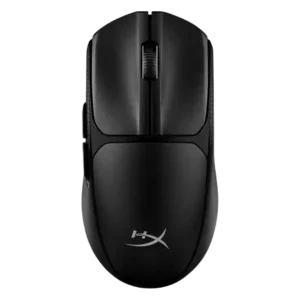
Left and right clicks were usually praised as crisp, tactile, and satisfying, with one first impression noting heavier actuation.
Pros: wireless latency, Accuracy and tracking precision
Cons: side button quality, materials quality