#1

Best for FPS
Click noise is generally praised for being quiet or virtually silent. Reviewers describe the haptic clicks as muted, less audible than standard switches, and pleasant for shared rooms, even if...
Pros: DPI range, wireless latency
Cons: RGB features, Bluetooth support
#2

Best for FPS
Click sound is generally liked, with reviewers describing the switches as satisfying, tactile, and good-sounding rather than dull or mushy.
Pros: wireless latency, connection stability
Cons: palm grip comfort, software stability
#3

Best comfort
Click noise is restrained overall: reviewers describe crisp, clicky switches that are not especially loud.
Pros: DPI range, polling rate
Cons: wireless performance, Bluetooth support
#4
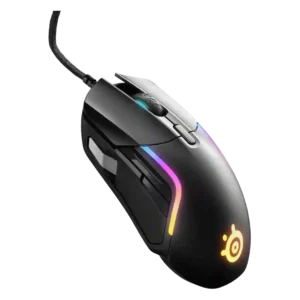
Best for FPS
Click noise is relatively controlled, with reviewers describing clicks as not too loud, fairly quiet or pleasant in volume.
Pros: switch durability, surface compatibility
Cons: weight tuning, skate durability
#5

Best for FPS
Click noise evidence was limited but positive, with one reviewer describing the scroll-wheel click as quiet and not disruptive.
Pros: click latency, cross-platform compatibility
Cons: weight tuning, handedness options
#6
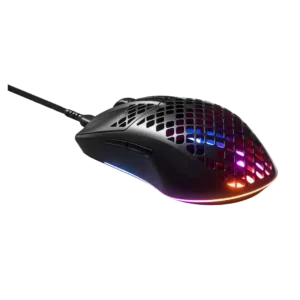
Best comfort
Click-noise evidence is limited but favorable, with one reviewer saying the clicks were not annoying or as loud as another SteelSeries mouse.
Pros: click latency, switch durability
Cons: onboard memory, palm grip comfort
#7

Best for MMO
Click noise is generally favorable where mentioned, with reviewers describing the main clicks as quiet, not overly noisy, or balanced in volume.
Pros: sensor performance, programmable buttons
Cons: handedness options, cable flexibility
#8

Best for FPS
Click noise is lightly supported but positive, with one review specifically noting quiet, precise button triggering.
Pros: Accuracy and tracking precision, motion consistency
Cons: debounce customization, tilt gesture controls
#9

Best for FPS
Strong consensus
Click noise was relatively restrained, with reviewers describing muted or quieter clicks rather than loud mechanical feedback.
Pros: battery life, charging convenience
Cons: weight tuning, handedness options
#10

Best for FPS
Click noise is favorable where discussed, with reviewers noting subtler or dampened switch sound.
Pros: polling rate, charging convenience
Cons: software stability, firmware reliability
#11

Best for FPS
Click noise evidence is limited to the GeekaWhat review, which describes a thocky, satisfying sound from the switches.
Pros: balance and weight distribution, build quality
Cons: MMO gaming suitability, macro support
#12
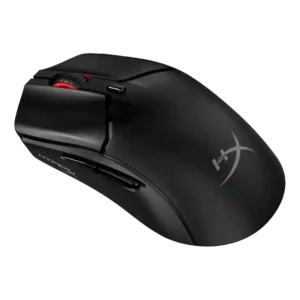
Best battery life
Click sound was viewed positively by IGN, which described the main buttons as sharp and satisfying.
Pros: DPI range, cable flexibility
Cons: software stability, firmware reliability
#13
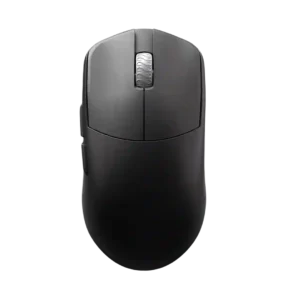
Best battery life
Click noise is not a major concern in the available evidence, with one reviewer saying fast scrolling never becomes annoyingly loud.
Pros: Accuracy and tracking precision, sensor performance
Cons: cable flexibility
#14
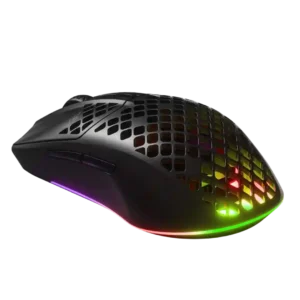
Best for FPS
Click-noise evidence is limited but favorable, with one review saying the main buttons are quieter than another SteelSeries line.
Pros: motion consistency, ergonomic design
Cons: firmware reliability, dock compatibility
#15

Best for FPS
Click noise is controlled: the switches are clicky and tactile without being described as overly loud or heavy.
Pros: connection stability, value for money
Cons: Bluetooth support, 2.4GHz connectivity
#16
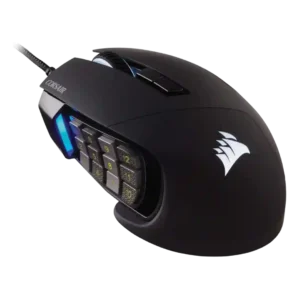
Best for FPS
Click noise had limited but positive evidence, with one reviewer saying the primary clicks were quieter than other mice.
Pros: programmable buttons, build quality
Cons: handedness options, tilt gesture controls
#17

Best for FPS
Click noise is lightly covered, with one reviewer noting audible, well-registered side-button presses rather than silent operation.
Pros: programmable buttons, MOBA gaming suitability
Cons: dock compatibility, handedness options
#18

Best battery life
Strong consensus
Click noise is moderate to quiet depending on the reviewer; it is audible but not usually described as loud.
Pros: click latency, sensor performance
Cons: palm grip comfort, skate durability
#19
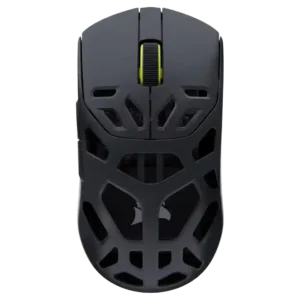
Best for FPS
Click noise is generally acceptable, with reviewers noting quieter or not-too-loud clicks rather than harsh acoustics.
Pros: Accuracy and tracking precision, build quality
Cons: RGB features, debounce customization
#20
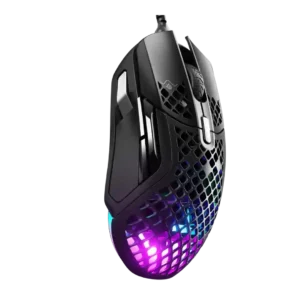
Best for FPS
Click noise has limited evidence, with one review describing a shared sound profile and tactile clicks rather than flagging a noise problem.
Pros: glide smoothness, weight
Cons: handedness options, side button quality
#21

Best for MMO
Click noise is directly noted as a distinct audible clickiness; evidence is narrow and based on one review.
Pros: MMO gaming suitability, onboard memory
Cons: dock compatibility, weight
#22

Best for FPS
Click noise is mixed: main clicks can be louder, while some reviewers praise quiet wheel or click behavior.
Pros: programmable buttons, Bluetooth support
Cons: handedness options, firmware reliability
#23

Best for FPS
Click noise is generally controlled, but swappable Omron switches can be noticeably louder depending on the chosen switch.
Pros: MMO gaming suitability, software stability
Cons: handedness options
#24

Best for FPS
Click noise is moderately loud but generally satisfying; reviewers describe clicky, lower-pitched, or louder-than-silent switch sound.
Pros: balance and weight distribution, weight
Cons: tilt gesture controls, RGB features
#25

Best for FPS
Click noise receives mild caveats rather than serious criticism, with reviewers noting slightly louder primary clicks or a recognizable optical-switch sound.
Pros: polling rate, weight
Cons: onboard memory, tilt gesture controls
#26

Best battery life
Click noise is mixed: one reviewer calls the D3 very quiet, while another says the optical switches are not particularly quiet.
Pros: switch durability, DPI range
Cons: grip texture, portability
#27

Best for FPS
Click noise is mixed: some reviewers find clicks quiet, while others criticize the scroll wheel or related clicks as loud.
Pros: Accuracy and tracking precision, programmable buttons
Cons: weight tuning, firmware reliability
#28

Best for FPS
Click noise is mixed, ranging from quiet or acceptable to louder/noisier than expected depending on reviewer and use.
Pros: click latency, wireless latency
Cons: weight tuning, skate durability
#29

Best comfort
Click noise is mixed but mostly acceptable: some reviewers found the clicks pronounced or loud, while others described the sound as pleasant.
Pros: surface compatibility, sensor performance
Cons: tilt gesture controls, MOBA gaming suitability
#30

Best battery life
Click-noise evidence is mixed, with one review calling the click crisper and louder while another says the sound is muted.
Pros: acceleration control, wireless latency
Cons: debounce customization, RGB features
#31

Best for FPS
Click noise is mixed and lightly covered. Reviewers mention deeper sound signatures or less-audible clicks, so the mouse is not described as silent but does not appear unusually loud across...
Pros: weight, sensor performance
Cons: MMO gaming suitability, software stability
#32

Best for FPS
Click noise is mixed: some reviewers like the audible click, while another finds the optical switches somewhat loud.
Pros: macro support, click latency
Cons: dock compatibility, firmware reliability
#33

Best for FPS
Click noise opinions vary from very low and pleasant to loud, echoey, cheap, or dampened depending on reviewer and usage.
Pros: battery life, weight tuning
Cons: RGB features, lift-off distance
#34

Best for FPS
Click noise is mixed. Some reviewers liked the satisfying tactile sound, while others found the clicks louder, bassier, or high-pitched compared with lighter gaming mouse clicks.
Pros: connection stability, cross-platform compatibility
Cons: Bluetooth support, RGB features
#35
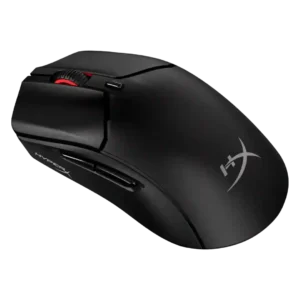
Best for FPS
Click sound is divisive: some liked the crisp, satisfying sound, while others found the mouse loud for shared spaces.
Pros: DPI range, switch durability
Cons: software stability, onboard memory
#36

Best for FPS
Click noise was mixed: some reviewers found the clicks loud, others found them muted or quieter, and one disliked the sound.
Pros: polling rate, click latency
Cons: RGB features, handedness options
#37

Best for FPS
Click noise is divisive: some reviewers found it quiet and pleasant, while others said the optical switches are louder, hollow, or not suited to silent-click preferences.
Pros: DPI range, weight
Cons: debounce customization, handedness options
#38
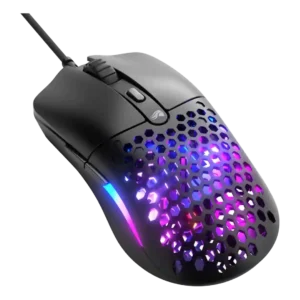
Best for FPS
Strong consensus
Click noise is mixed: one reviewer liked the crisp not-too-loud sound, while another found the clicks quite loud.
Pros: value for money, switch durability
Cons: wireless latency, Bluetooth support
#39

Best for FPS
Click noise is a minor caveat: one reviewer calls the clicks hollow and another says they are louder, while still liking the switches.
Pros: connection stability, 2.4GHz connectivity
Cons: handedness options, click noise
#40

Best comfort
Click noise was mixed: some found the buttons quiet or acceptable, while others described the clicks as loud, hollow, or noisy.
Pros: click latency, connection stability
Cons: tilt gesture controls, software stability
#41

Best for FPS
Click noise is mixed, with PC Gamer and GamesRadar hearing hollow or pinging sounds while PCGamesN praised the switch sound.
Pros: switch durability, connection stability
Cons: MOBA gaming suitability, MMO gaming suitability
#42
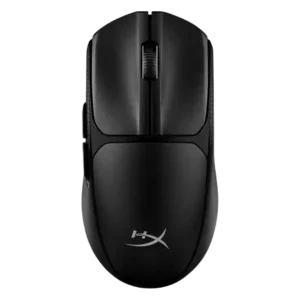
Best battery life
Click noise is mixed: one review warned the clicks are not quiet, while another said they are not overly loud.
Pros: Accuracy and tracking precision, click latency
Cons: side button quality, claw grip comfort
#43

Best for FPS
Click noise is a mild drawback because the main buttons are described as clicky or quite loud.
Pros: DPI range, cross-platform compatibility
Cons: tilt gesture controls, battery life
#44

Best battery life
Click noise is mixed: reviewers liked the crisp click feedback, but some noted clickiness or right-click ping could bother sensitive users.
Pros: handedness options, DPI range
Cons: Bluetooth support, MMO gaming suitability
#45

Best for FPS
Click noise is a mild drawback. Several reviews say the clicks can be a little loud or uneven in sound, though the same reviews often still praise the click feel...
Pros: weight, FPS gaming suitability
Cons: Bluetooth support, RGB features
#46

Best for FPS
Click noise varies by reviewer and component, with some calling the mouse louder and others describing the buttons as relatively quiet.
Pros: polling rate, weight
Cons: RGB features, Bluetooth support
#47

Best for MMO
Click noise receives limited but slightly negative evidence, with one reviewer noting the primary switches are a little loud.
Pros: motion consistency, dock compatibility
Cons: tilt gesture controls, RGB features
#48
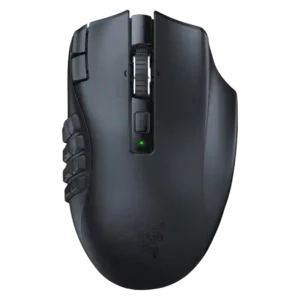
Best for FPS
Click noise evidence is limited but moderate, with one reviewer saying the clicks are neither the quietest nor the loudest.
Pros: Accuracy and tracking precision, DPI range
Cons: handedness options, fingertip grip comfort
#49

Best for FPS
The main clicks are often described as loud, pingy, hollow, or more resonant than muted. This is one of the most common caveats in otherwise positive reviews.
Pros: DPI range, click latency
Cons: Bluetooth support, dock compatibility
#50

Best for FPS
Click noise is mixed. Some reviewers find the clicks pleasant or not annoying, while others describe the switches or side buttons as loud.
Pros: Accuracy and tracking precision, click latency
Cons: value for money, software stability